




Fixed vs Tilt vs Full-Motion Tablet Mounts? A Buyer's Guide
Tablet infrastructure is only as effective as its installation method. Inadequate mounting solutions can result in poor visibility and theft or diminished return on investment.
This analysis evaluates the functional differences between fixed and tilting, and articulating mounts. It connects these specifications to real-world business scenarios to ensure you choose the optimal hardware.
VidaBox represents the industry benchmark for secure commercial tablet enclosures. Our products support critical operations for global retailers and universities, and healthcare providers. We believe a secure wall mount is the prerequisite for any scalable technology integration.
1. Fixed Tablet Mounts: What You Need To Know

Before investing in a tablet mount solution, consider your security requirements, usage environment, and device compatibility. This guide helps you evaluate whether fixed mounts meet your specific needs.
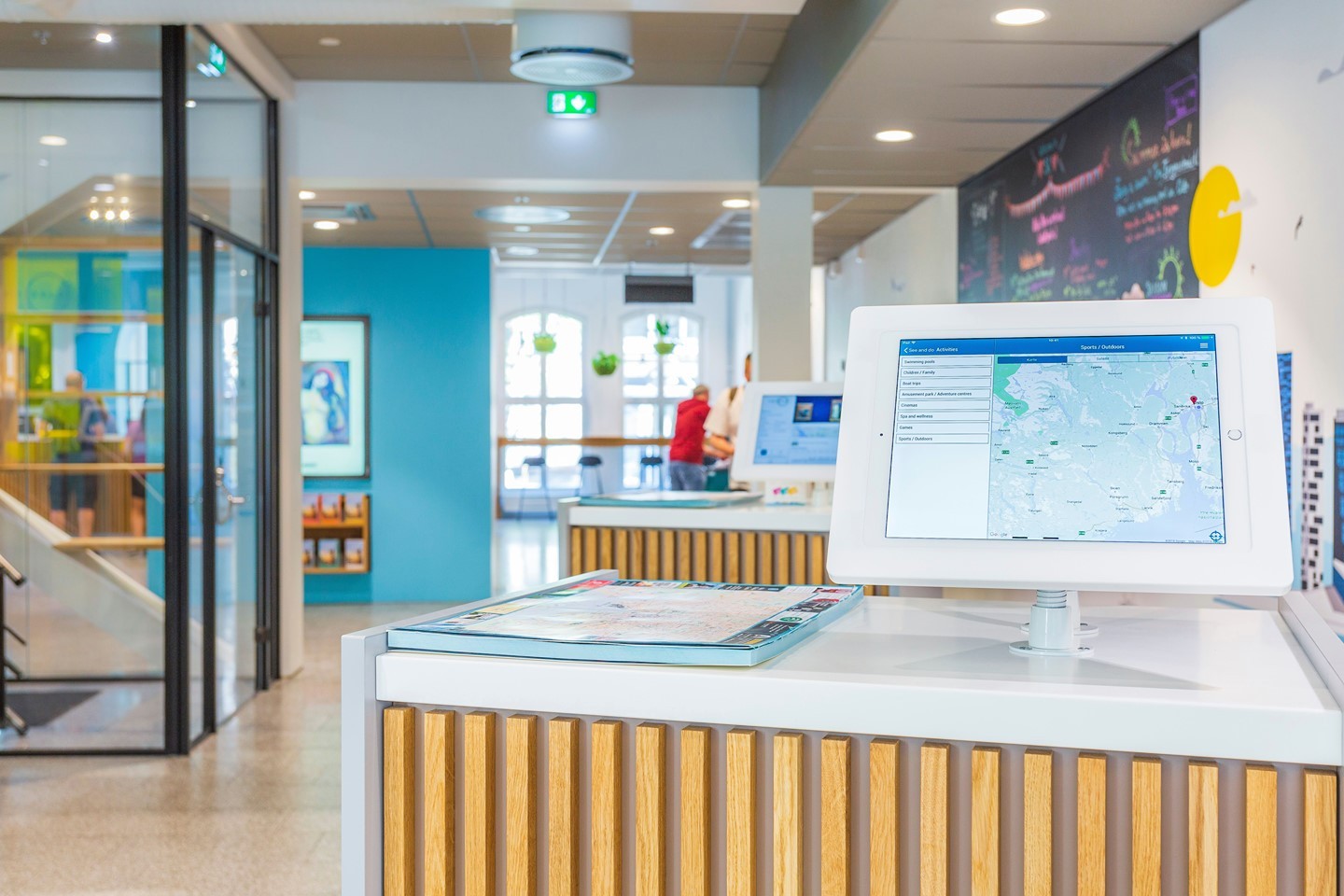
A fixed tablet mount secures the device flush to a surface with no articulation. The enclosure is locked, cabling is routed internally, and the tablet’s orientation remains constant. This creates a clean, integrated, and highly secure installation perfect for an iPad Mini 2 stand or other small devices.
What to Look For
- Security Level Requirements: Assess your theft risk
- Installation Permanence: Can you commit to fixed positioning?
- Device Compatibility: VESA standards and tablet size support
- Cable Management: Internal routing capabilities
- Budget Considerations: Price range expectations
Is This Right For You?
- Best For: High-traffic public spaces requiring maximum security
- Perfect If: You need permanent, tamper-proof installations
- Not Ideal If: You require screen angle adjustments or repositioning
How to Choose: Decision Checklist
To make your decision easier, use the following checklist guide to ensure you've covered all the critical factors.
Common Mistakes to Avoid
- Installing without measuring the exact mounting location
- Overlooking cable routing requirements
- Not planning for device upgrades
- Underestimating installation costs
Key Benefits
- Highest Theft Deterrence: With tamper-proof screws and completely hidden cabling, these mounts make unauthorized device removal virtually impossible.
- Durability: Having zero moving parts eliminates hinge failure or joint wear, ensuring the mount can withstand constant public use 24/7 without degradation.
- Space Efficiency: The slim, low-profile design of a VESA standard wall mount keeps walkways, counters, and corridors clear and unobstructed.
A national quick-service retailer like El Pollo Loco has deployed VidaBox kiosks across multiple locations for customer order entry, with secure enclosures designed to minimize theft and downtime.
This highlights the exceptional durability and security of a non-articulating solution in high-traffic environments.
Key Insight: Fixed mounts are ideal for businesses prioritizing security over flexibility. If you need to adjust viewing angles more than twice per year, consider articulating alternatives instead.
2. Tilting Tablet Mounts
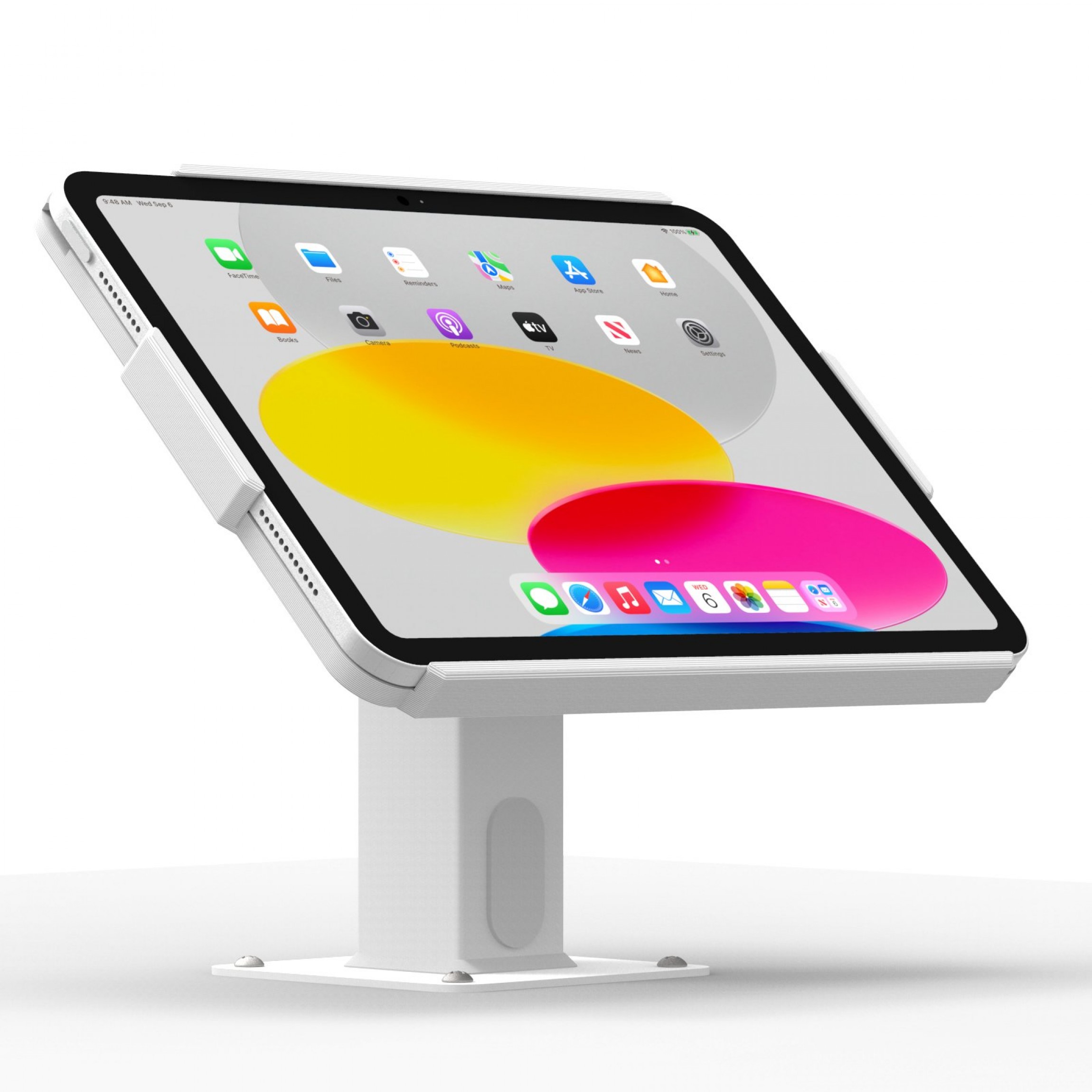
Tilting mounts offer the middle ground between fixed security and full articulation. If your users need occasional screen angle adjustments but don't require full repositioning, this could be your ideal solution. Here's what you need to know before buying.
What to Consider Before Buying:
- Tilt Range Needed: Typical range: 0° to 30°. Will this serve your use case?
- User Height Variation: How much height difference between users?
- Lighting Conditions: Is glare reduction a primary concern?
- Security vs. Flexibility Balance: Can you accept a single pivot point?
- Durability Requirements: Heavy daily use demands commercial-grade hinges
Is a Tilting Mount Right for Your Application?
You should choose a tilting mount when your project involves these specific scenarios:- Counter heights vary (reception desks, POS stations)
- Overhead lighting causes screen glare
- Multiple users with different heights need access
- You need flexibility, but can't compromise on security
- Ergonomic strain is a documented concern
- Users need to rotate the screens horizontally
- The device needs frequent repositioning in space
- Installation is in a low-traffic area with minimal theft risk
- Budget is extremely limited (fixed mounts cost less)
Selection Checklist
Reference this checklist during your selection process to verify the hardware meets commercial standards.
Expert Recommendations
- For Retail POS: Choose ratchet-stop mechanisms over friction hinges. They maintain precise angles even after thousands of adjustments.
- For Reception Desks: Specify 0-45° tilt range (wider than standard 30°) to accommodate both standing and seated guests.
- For High-Security Environments: Add keyed tilt locks. Prevents customers from adjusting (and potentially damaging) the mount.
- Testing Protocol: Request demo units and conduct a 30-day pilot with 3-5 stations before committing to large orders.
Key Benefits
- Ergonomics: Staff can angle screens to their preferred line of sight, reducing wrist strain and neck flexion. For example, studies show that a 30° inclination improved neck-shoulder posture and reduced discomfort.
- Glare Mitigation: Subtle tilt adjustments are highly effective at combating reflections from skylights, track lighting, or large windows, ensuring screen visibility.
- Security: VidaBox tilt mounts are engineered with security first. They use keyed locks and heavy-gauge steel backplates to maintain robust theft deterrence.
Pro Tip: A small degree of tilt makes a huge difference in user comfort and screen visibility. It's a simple upgrade that directly addresses common issues like glare and ergonomic strain.
3. Full-Motion (Articulating) Tablet Mounts
Articulating mounts are the premium solution for dynamic, multi-user environments, but they come with the highest price tag and maintenance requirements. This guide helps you determine if the flexibility benefits outweigh the costs and complexity for your specific application.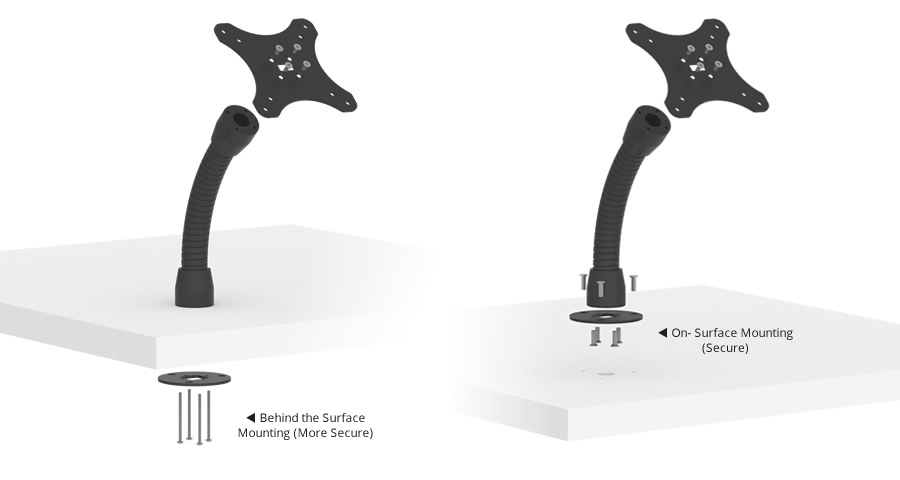
Full-motion mounts offer the ultimate in positioning flexibility by including multiple joints for swivel, tilt, rotation, and extension.
High-quality commercial arms integrate internal cable management and lockable tension points to hold the tablet securely in the desired position. This flexibility is vital, as studies show the gravitational demand in postures during tablet use can be 3-5 times that of neutral posture.
When Articulating Mounts Make Financial Sense
You can expect a strong return on investment in these scenarios:- Collaborative Workspaces: Device rotates between 3+ users per session
- Healthcare Settings: Clinicians need bedside access from multiple angles (3-5x gravitational demand = ergonomic necessity)
- Meeting Rooms: Screens shared between presenters and audience
- Production Floors: Technicians access tablets from various workstations
- Glass-Wall Displays: Dual-sided viewing (hallway + conference room)
- Single-user desks
- Low-traffic information kiosks (use fixed mount)
- Budget-constrained projects under $200 per mount
- Environments where users lack training to adjust properly
Smart Buyer Checklist
We created this quick reference sheet to help you verify durability and support terms with any supplier.
Key Benefits
- Maximum Versatility: A single mount can serve multiple workflows and users, making it ideal for dynamic, multi-purpose workspaces from an iPad Pro 12.9 mount to a smaller device.
- Future-Proofing: An articulating arm can be easily repositioned to serve a new function without the need to drill new holes or run new wiring.
- Continued Security: These arms can be paired with a VESA-ready desk, VESA mount, and VidaBox enclosures, ensuring lock-and-key protection.
Warning/Important: Using consumer-grade articulating arms in a commercial setting is a false economy. The multiple joints are failure points under heavy use. Always invest in commercial-grade hardware for long-term reliability.
Quick-Reference Comparison Table
Selecting the right interface ensures your deployment remains secure and easy to use. The comparison below highlights the primary strengths and limitations of each style to help you make an informed decision.Mount Type
Best-For Deployments
Key Advantages
Trade-Offs & Considerations
Fixed (Flat-to-Surface)
High-traffic kiosks, digital signage, and self-check-in stations
Maximum theft deterrence, highest durability, slim, ADA-compliant profile
No angle adjustment-mounting height, and ambient lighting must be pre-planned
Tilting (Single-Axis)
Employee POS terminals, varying counter heights, and areas with overhead lighting
Ergonomic screen angles reduce glare and reflections
Slightly more moving components than fixed, with limited side-to-side movement
Full-Motion / Articulating
Meeting-room schedulers, collaborative huddle spaces, patient bedside & telehealth
Swivel, rotation, and extension for multi-user viewing, easy to repurpose or relocate
Highest cost, more joints subject to wear-specify commercial-grade hardware
How to Choose the Right Mount
Defining your specific environmental needs ensures you select hardware that lasts. Review these five factors to narrow down the perfect interface for your project.1. Required Security Level
Is the tablet in a public or unsupervised zone? A fixed mount offers maximum, uncompromised theft deterrence. For semi-supervised areas like reception desks, a tablet table mount with keyed locks provides an excellent balance of flexibility and security.2. User Interaction Style
Will the tablet be a passive display? A fixed mount is sufficient. Is it for active touch, such as data entry or collaboration? Tilt or full-motion mounts dramatically improve ergonomics for active users, whether it's a Surface Go stand or a larger device.3. Lighting & Glare Conditions
Is the environment's lighting consistent? A fixed mount will work well. For spaces with variable or bright overhead lighting, a tilting mount is recommended. Research suggests that tablet tilt angles should include a range of 20° to 50° at a minimum to reduce strain.4. Mounting Surface & Cabling Path
For drywall studs or custom kiosks, all mount types are applicable. For challenging surfaces like glass partitions, specialized full-motion adhesive or clamp solutions are the professional choice. This also applies to a Surface Pro floor stand or an iPad floor stand.5. Scalability / Future Re-Configuration
Static deployments with a long lifecycle favor the simplicity of fixed mounts. Environments that are likely to evolve, such as agile collaboration zones or a Samsung Galaxy A8 tablet stand in a rotating exhibit, benefit from the flexibility of full-motion mounts.Industry-Specific Deployment Examples
Vertical
Typical Application
Recommended Mount
Retail
Self-checkout kiosk for loyalty sign-ups
Fixed
Hospitality
Front-desk upsell terminal that staff tilt toward guests
Tilt
Corporate Offices
Meeting-room scheduler on a glass wall
Full-Motion
Healthcare
Patient bedside infotainment
Full-Motion
Museums
Interactive exhibit labels with occasional staff adjustment
Tilt
Frequently Asked Questions
Q1. Are VidaBox tablet enclosures VESA-compatible?
Yes. Our enclosures feature standard 100 × 100 mm VESA patterns, allowing for seamless integration. You can easily swap between fixed, tilt, and third-party articulating arms with a compatible VESA mount.Q2. Can the mounts support 24/7 charging?
Absolutely. Our designs feature integrated cable channels that route power or Power-over-Ethernet (PoE) wiring inside the arm and enclosure. Options like PoE to USB-C adapters ensure continuous and secure operation.Q3. What compliance standards apply?
VidaBox wall mounts are designed to meet ADA reach-depth requirements when installed per official guidelines, ensuring accessibility. Furthermore, all electrical components used in our powered solutions follow UL safety standards for commercial deployments.Match the Mount to the Mission
There’s no one-size-fits-all tablet mount. The best choice is always the one that aligns with your specific operational needs. Fixed mounts deliver bulletproof security and durability for public kiosks. Tilting mounts solve crucial ergonomics and glare issues at staffed terminals. Full-motion mounts unlock multi-angle collaboration and provide ultimate future flexibility.By evaluating your requirements for security, user interaction, lighting, and future growth, you can confidently choose the right iPad stand.
Ready to refine your deployment? Contact the VidaBox solutions team for a tailored recommendation and discover why enterprises worldwide trust VidaBox for secure, affordable tablet mounting solutions.
Key Insight: The best tablet mount is not the one with the most features, but the one that perfectly aligns with your mission, whether you need bulletproof security, ergonomic comfort, or collaborative flexibility.


