





Docking and Power
The ChargeDOCK™ gives your setup the unique ability to easily dock and power your tablet directly to the wall or another VESA compatible mount. Docking and power all in one truly distinctive product.
Learn more...
Learn more...


iPad / Android Tablet Enclosure
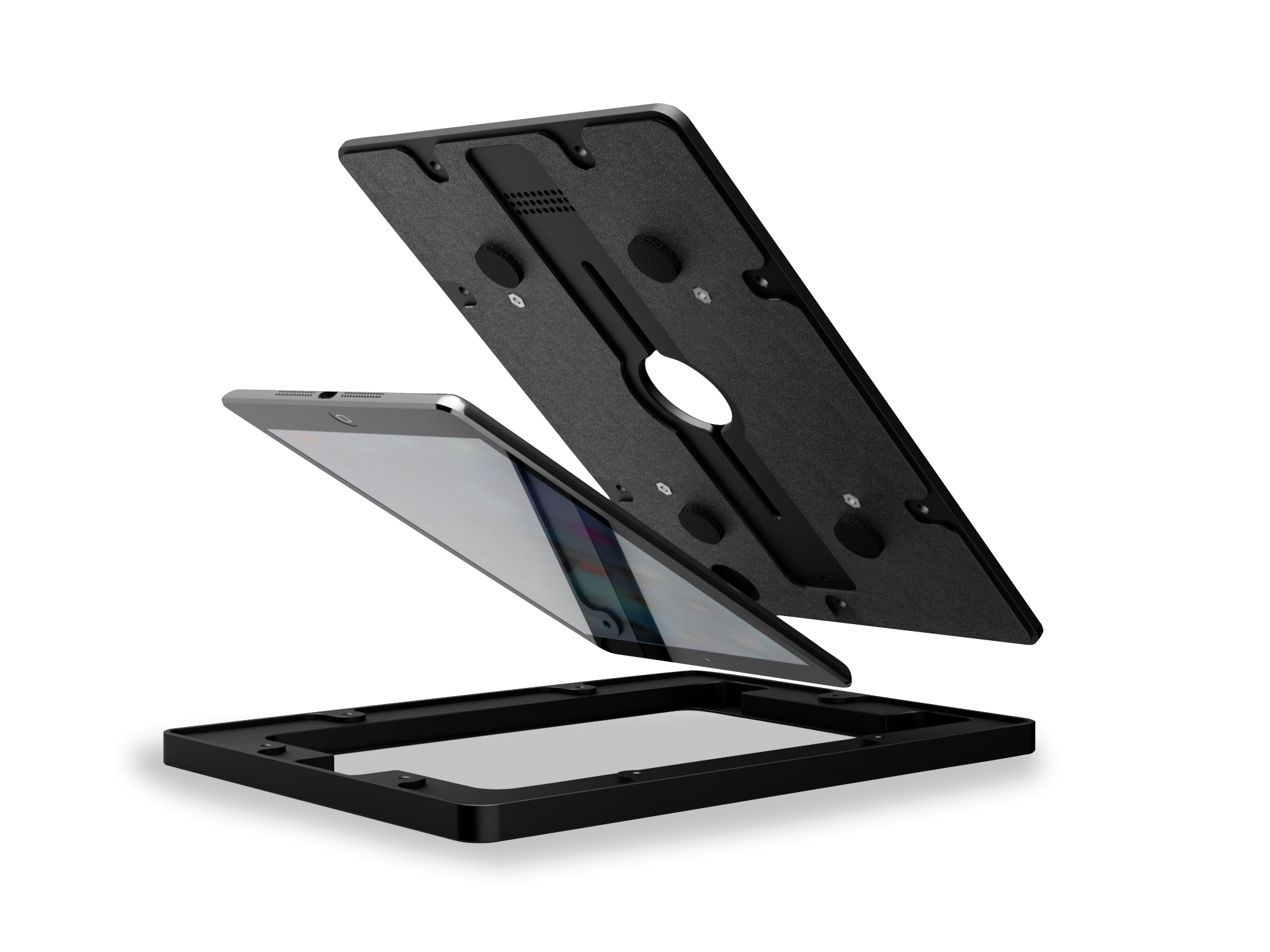
Our VidaMount VESA Tablet Enclosures are engineered like no other enclosure on the market today. With attention to details like a mic hole, speaker grill, interior pads for tablet protection, and a power button service knockout. Our enclosure fully wraps your iPad or Android tablet for ultimate protection and theft prevention.
Learn more...
US Patent No. 20220205284
Learn more...
US Patent No. 20220205284

Uniquely Powerful Combo
The ChargeDOCK™ mounts directly onto any wall - creating a simple docking station for your VidaMount tablet enclosure. Our patent-pending design allows you to dock for power and stationary use of your tablet. Or undock for those situations when portablilty is needed!

Squeeze the Tab for Quick Release
Grasp the Quick Release Tab on top of the ChargeDOCK EZ - and lift your tablet up easily! Perfect for home or office use, where security isn't a concern. It's as simple as Squeeze and Lift

...Or, Enable Lift Release
Make tablet removal even easier - remove the Release Tab during setup to enable Lift Release. Just "pull up"!

Easy Wall Mount Installation
Install the ChargeDOCK™ directly to the wall in minutes! Mount it over a standard single gang box, then connect your charging cable to its rear USB-C input!

High Speed Charging!
ChargeDOCK EZ's patent-pending USB-C docking supports 60+W of power & wired Gigabit Ethernet to any iPad, Samsung Galaxy Tab, Lenovo Tab, Amazon Fire, Microsoft Surface, and other popular tablets!
Draw power from recessed power outlet, a PoE DataCharger, or your tablet's original charger / power transformer!
Draw power from recessed power outlet, a PoE DataCharger, or your tablet's original charger / power transformer!


Compatible w. 3rd Party VESA Mounts
with Integrated Cable Management
with Integrated Cable Management
Whether we're mounting onto a genuine VidaMount VESA bracket or a 3rd party VESA arm/mount - ChargeDOCK EZ's modular End Caps allow you to swap between hidden wiring (for VidaMount VESA brackets) or external cable management (for 3rd party VESA mounts) - with 24/7 charging for either setup!
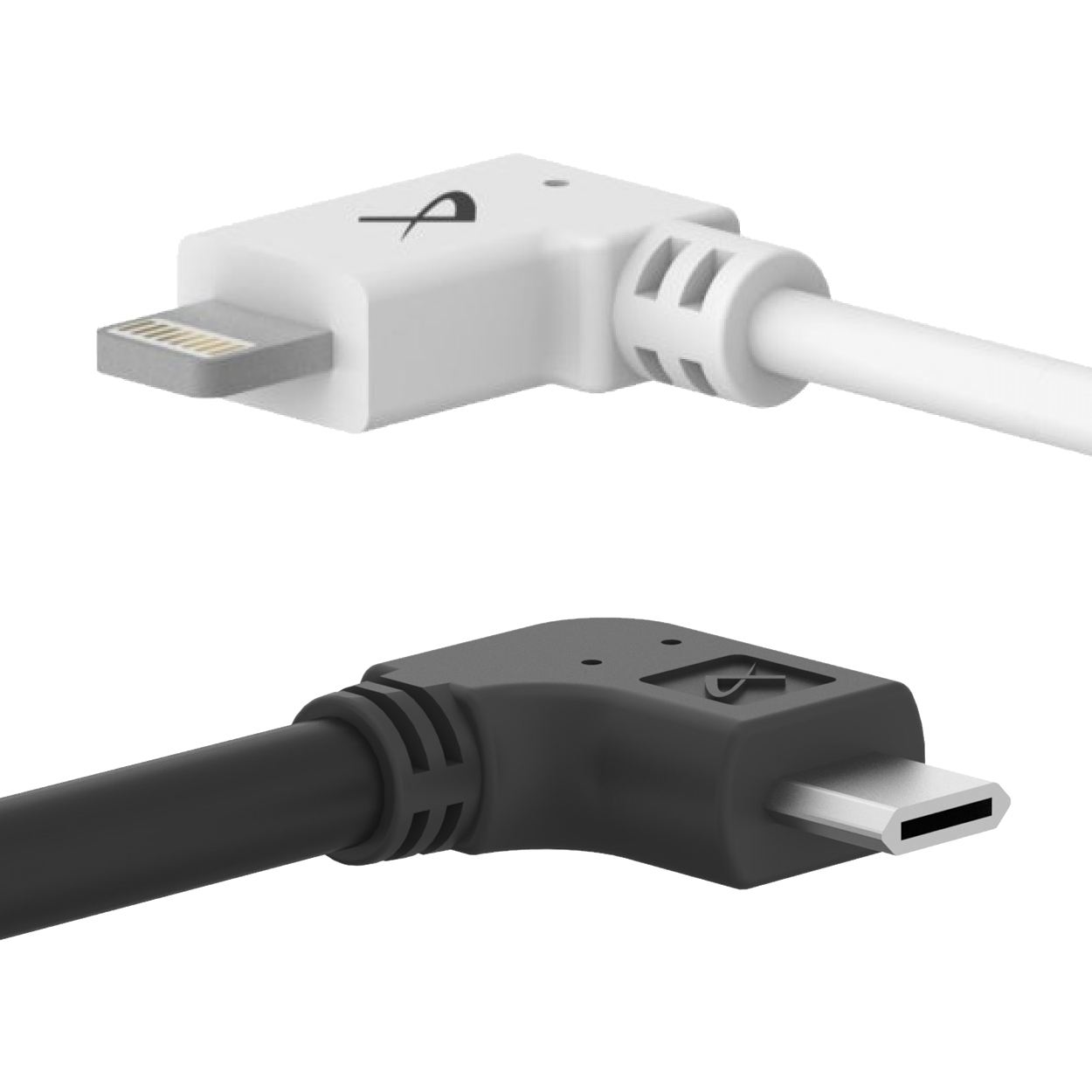
Custom: Older Lightning / MicroUSB Devices Supported
Have an older, non-USBC device or tablet that you need this feature for? VidaBox can provide custom builds to support older Lightning or Micro-USB based tablet devices - contact us for details!
Need a removable, yet secure ChargeDOCK?
Upgrade to our secure ChargeDOCK™ - which requires a hex key for tablet removal.
Click here to learn more!
Click here to learn more!

Cable Management
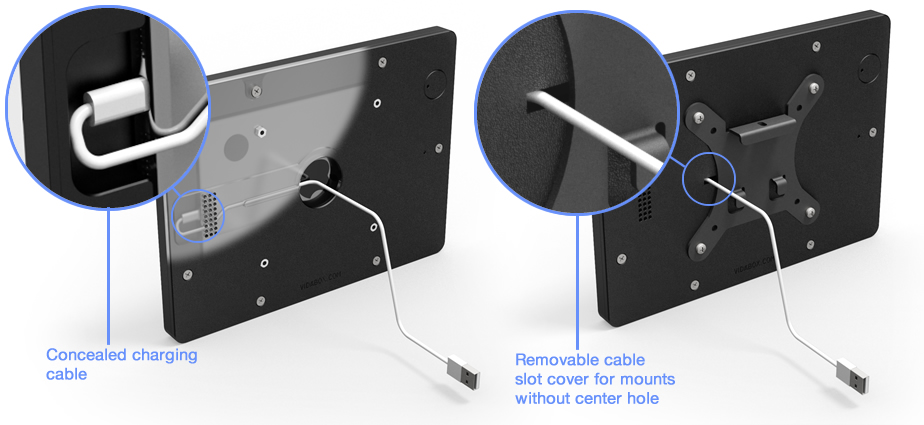
We thought of everything, from fitting your Lightning or USB power cables, to a perfectly sized opening for your 3.5mm headphone jack and cord (including some add-on credit card readers). Our enclosure was designed to fit your needs.
Power Button Access
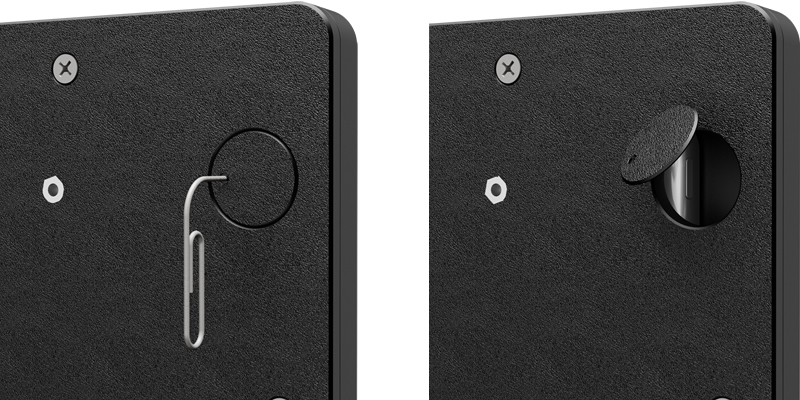
Our unique enclosure design provides a choice between open or limited power button access. As shipped, the enclosure covers the power button - removing the ability for a user's finger to access the tablet's power button. A tiny thru hole still provides the ability to actuate the power button using a paper clip or other tool. Alternatively - for free, unfettered power button access, the cover is removable as needed!
ADA Compliant Design
This VidaMount design meets ADA compliance:
For wall-mounting:
· Maximum protrusion from wall of 4" or less
· Height between 27" to 80" high
For free-standing, forward reaching setups:
· Unobstructed touch access between 15" to 48" high
· Obstructed (>20") touch access between 15" to 44" high
For free-standing, side reaching touchpanels:
· Unobstructed touch access between 34" to 48" high
· Obstructed (<24"/>10") touch access between 34" to 46" high
For wall-mounting:
· Maximum protrusion from wall of 4" or less
· Height between 27" to 80" high
For free-standing, forward reaching setups:
· Unobstructed touch access between 15" to 48" high
· Obstructed (>20") touch access between 15" to 44" high
For free-standing, side reaching touchpanels:
· Unobstructed touch access between 34" to 48" high
· Obstructed (<24"/>10") touch access between 34" to 46" high
Portrait or Landscape
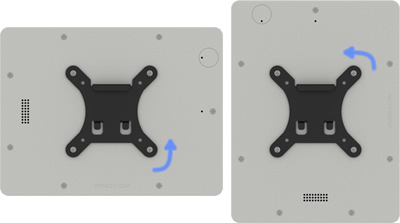
Sometimes, certain apps such as meeting room scheduling or reservation software are locked to a landscape orientation. Maybe the time card or "check in" app we're using is designed for a portrait view. No worries! Our iPad Tablet VESA enclosures can be mounted to its VESA bracket in either a portrait or landscape orientation.
Fits Microsoft Surface Dock
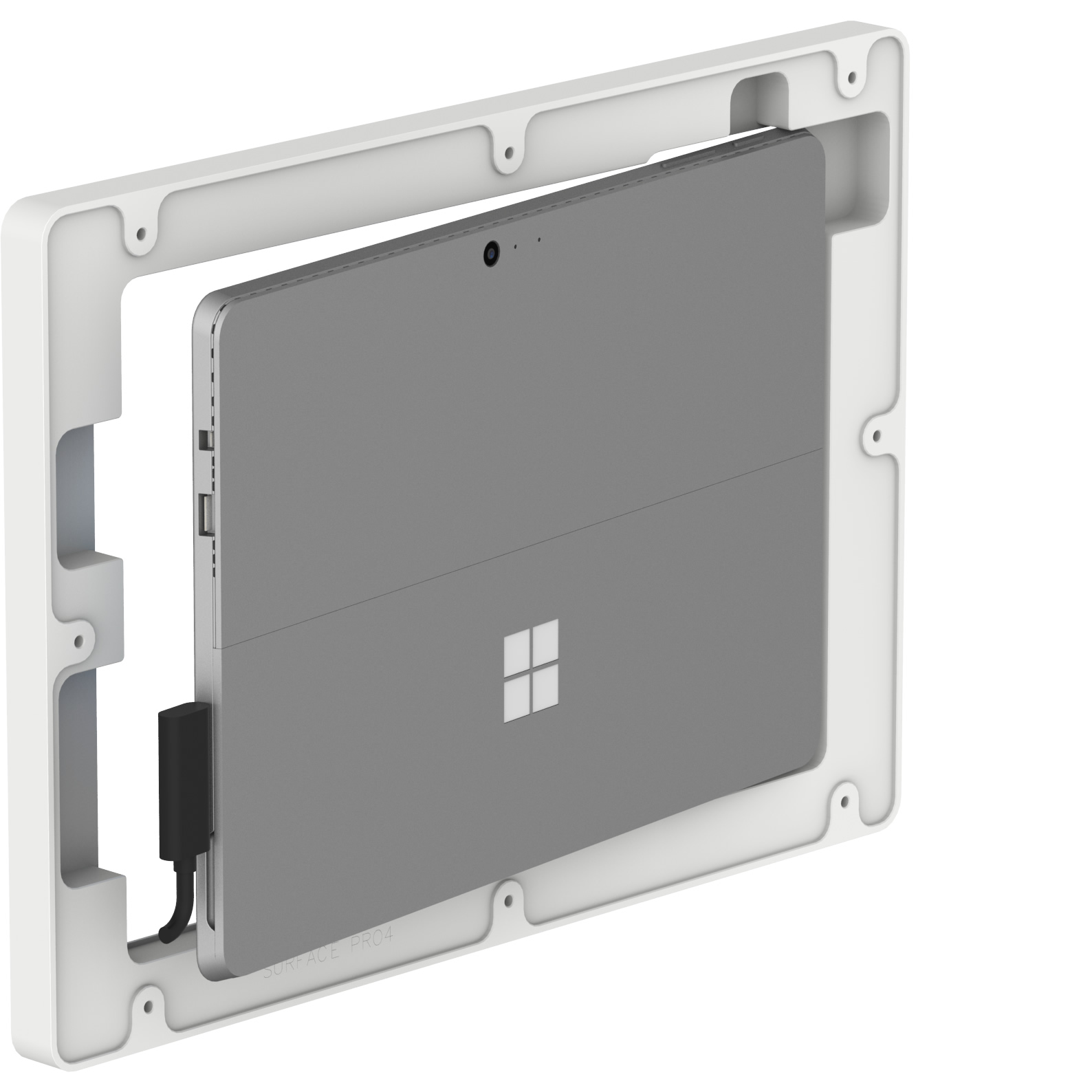
Charge your Microsoft Surface Tablet with either the official Microsoft charger, or use the Surface Dock peripheral to add-on wired Gigabit LAN, audio out, USB, & Displayport. Either connector and its wiring is hidden perfectly inside the VidaMount, then route the wires out of the enclosure's back for a clean, neat look.
Keep the Tablet Charged!
With our PoE charging solution (components sold separately), you can keep your tablet your plugged in and charging 24/7!
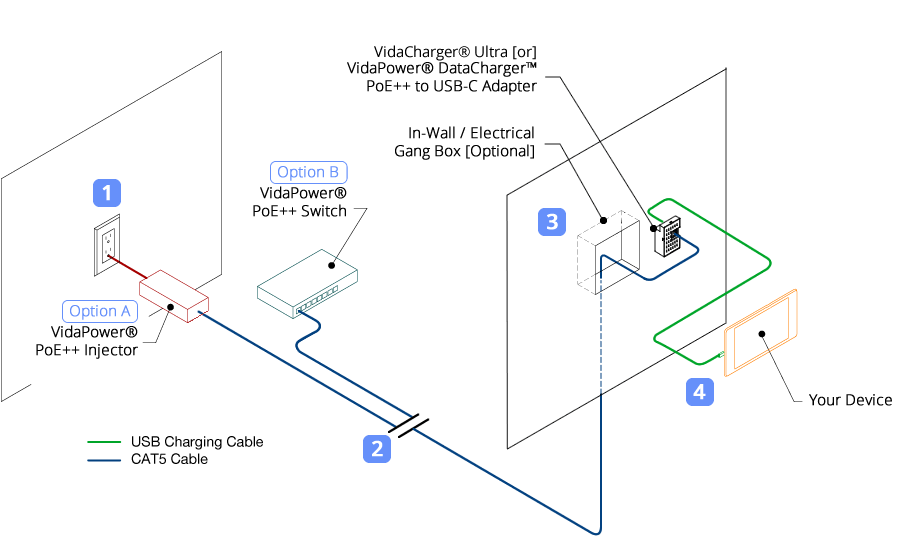
Locate a wall outlet [1] up to 330' (100m) away. Plug in our VidaPower® PoE++ Injector [Option A] or our VidaPower® PoE++ Switch [Option B] to the outlet, and [2] connect a standard CAT/Ethernet cable to the appropriate port.
Next, run the powered PoE/CAT5/5e/6 cable to your tablet location [3] and connect it to the 48V VidaPower® DataCharger™ or 48V VidaCharger™.
Finally, plug your VidaPower® High-Wattage USB-C Charging Cables to the USB-C port of the Adapter, connect your charging cable to your device [4] - and voila - we've connected wired power / data ! You're good!
Locate a wall outlet [1] up to 330' (100m) away. Plug in our VidaPower® PoE++ Injector [Option A] or our VidaPower® PoE++ Switch [Option B] to the outlet, and [2] connect a standard CAT/Ethernet cable to the appropriate port.
Next, run the powered PoE/CAT5/5e/6 cable to your tablet location [3] and connect it to the 48V VidaPower® DataCharger™ or 48V VidaCharger™.
Finally, plug your VidaPower® High-Wattage USB-C Charging Cables to the USB-C port of the Adapter, connect your charging cable to your device [4] - and voila - we've connected wired power / data ! You're good!
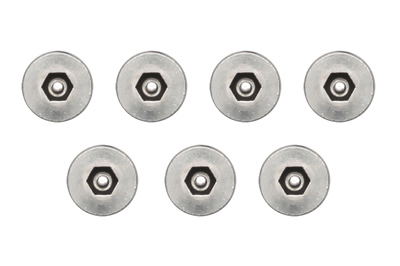
Optional Security Screw Kit
Our tamper-proof screw kit helps keep your tablet set up safe and secure, by changing the screws on the enclosure from Phillips to tamper-proof heads.
Customize It!
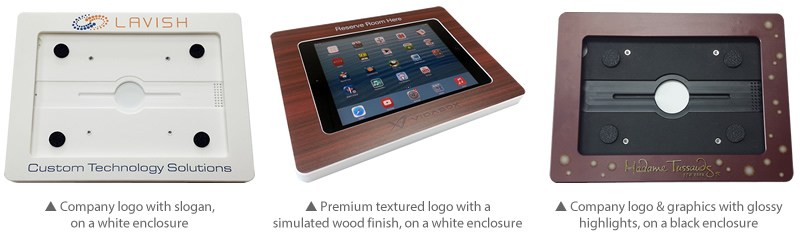
From company logos to fancy wood finishes, or glossy highlights to embossing - our durable customizations help blend any enclosure into your home or office, or enhance branding for your business. Add this affordable option to truly make these enclosures your own! Click here to learn how to customize your own unique enclosure! (Minimums apply. Ideal for projects with 100+ enclosures - Contact Us for details!)

Wide Tablet Support
We have developed VESA enclosures for many of the most popular tablet models, including:
- All iPad Pro Stands and Wall Mounts
- iPad Pro 10.5” Stands (3rd Gen)
- iPad Pro 11 Stands
- iPad Pro 12.9” Mounts (4th, 5th, 6th Gen)
- iPad Pro 13 Stands
- All iPad Air Tablet Mounts
- iPad Mini Wall Mounts and Stands
- iPad Mini 1, 2, 3 Wall Mounts and Stands
- iPad Mini 4, 5 Stands and Mounts
- iPad Mini 6 Stands and Mounts
- iPad 2, 3, 4 Stands and Mounts
- iPad 10.2” Mounts (7th, 8th, 9th Gen)
- iPad 10.9” Stands (10th Gen)
- See All iPad Stands
- See All iPad Wall Mounts
- See All iPad Floor Stands
- Samsung Galaxy Tab A 10.1 Stands (2019)
- Samsung Galaxy Tab A 10.5 Mounts
- Samsung Galaxy Tab A7 Lite Stands (8.7)
- Samsung Galaxy Tab A7 Wall Mounts (10.4)
- Samsung Galaxy Tab A8 Tablet Stands (10.5, 2022)
- Samsung Galaxy Tab A9 Mounts
- Samsung Galaxy Tab A9+ Mounts
- Samsung Galaxy Tab E Stands (8.0)
- Samsung Galaxy Tab S5e Stands (10.5)
- All Samsung Galaxy Tablet Wall Mounts
- All Samsung Galaxy Tablet Floor Stands
- Microsoft Surface Pro 4, 5, 6, 7 Stands
- Microsoft Surface Pro 8, Pro X Stands
- Microsoft Surface Pro 9 Stands
- Microsoft Surface Go 2, 3, 4 Wall Mounts
- All Microsoft Surface Wall Mounts
- All Microsoft Surface Floor Stands
- Amazon Fire 7” Tablet Mount
- Amazon Fire HD 10 Wall Mount
- Amazon Fire Tablet Wall Mounts and Stands
Don't see your tablet model? Contact us and let us know what you need.
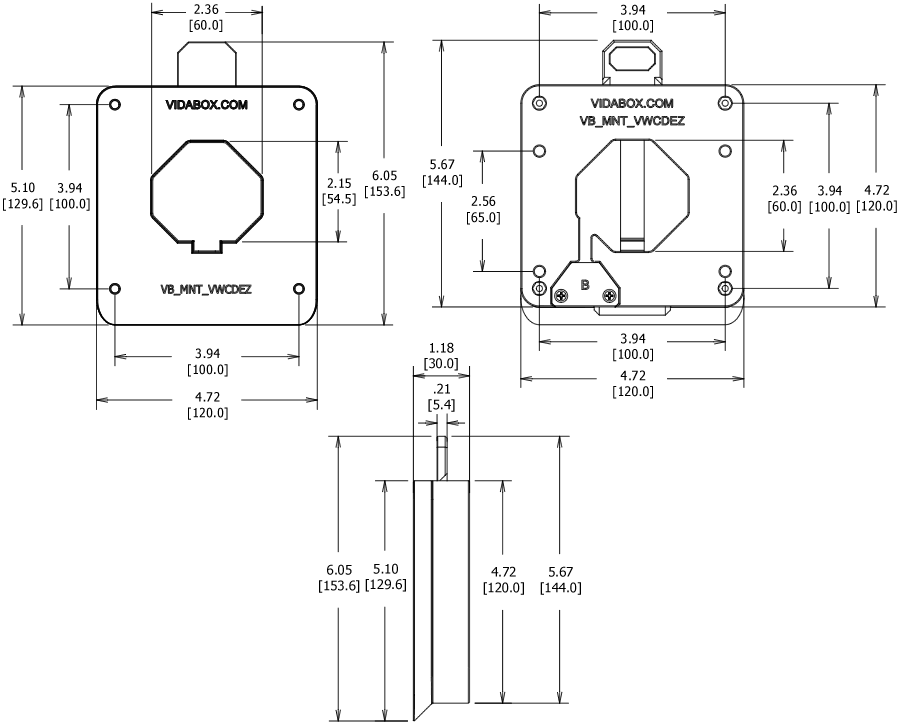
Dimensions VESA 100 / Wall VidaMount® EZ ChargeDOCK™
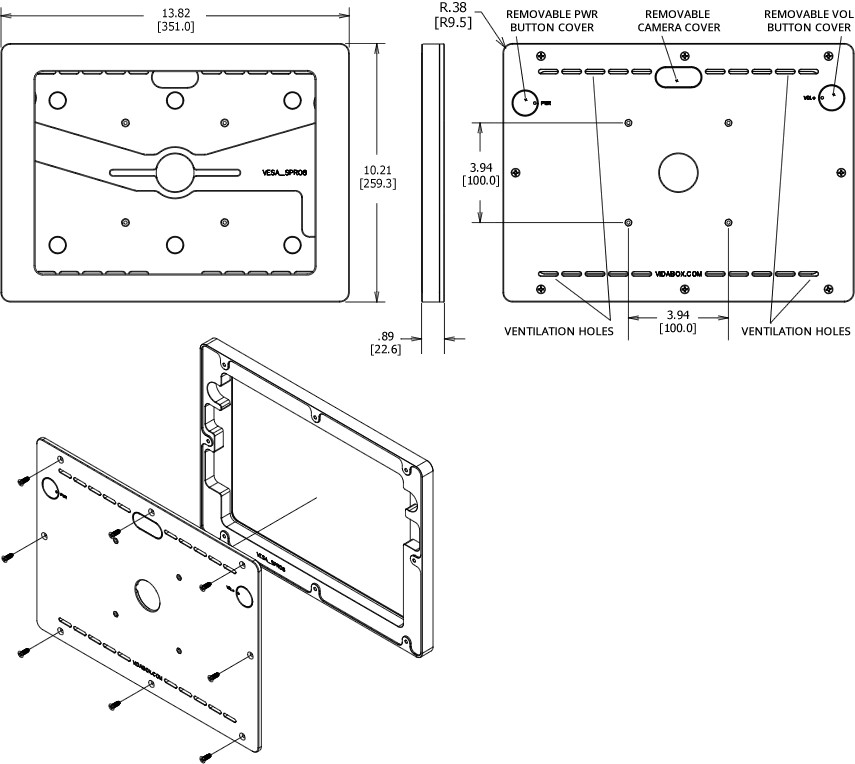
Dimensions Enclosure
Microsoft Surface Pro 8
What's in the box
[Pre-Installed] (1) VidaPower USB-C Extension Ribbon Cable
[Pre-Installed] (1) U-Shaped USB-C Adapter
[Pre-Installed] (1) Solid End Cap [A]
[Pre-Installed] (1) Ribbon Cable End Cap [B]
(1) Cord End Cap [C]
(4) M4 x 16mm Countersink Screws for VESA Enclosure Connection
(4) M4 x 8mm Button Head Screws for VESA Mount Connection
(4) 8-32 x 1 1/2" Wall Screws
(4) Hollow/Solid Wall Anchors
(1) [Pre-Installed] Tab Release Insert
iPad / Tablet Enclosure Installation instructions [Download]
Installation instructions - VESA 100 / Wall VidaMount® EZ ChargeDOCK™ [Download]
 WARNING: California Prop 65
This product can expose you to chemicals including lead, which is known to the State of California to cause cancer. For more information, go to P65Warnings.ca.gov


