





Minimalist Design
with Covered Edges
with Covered Edges
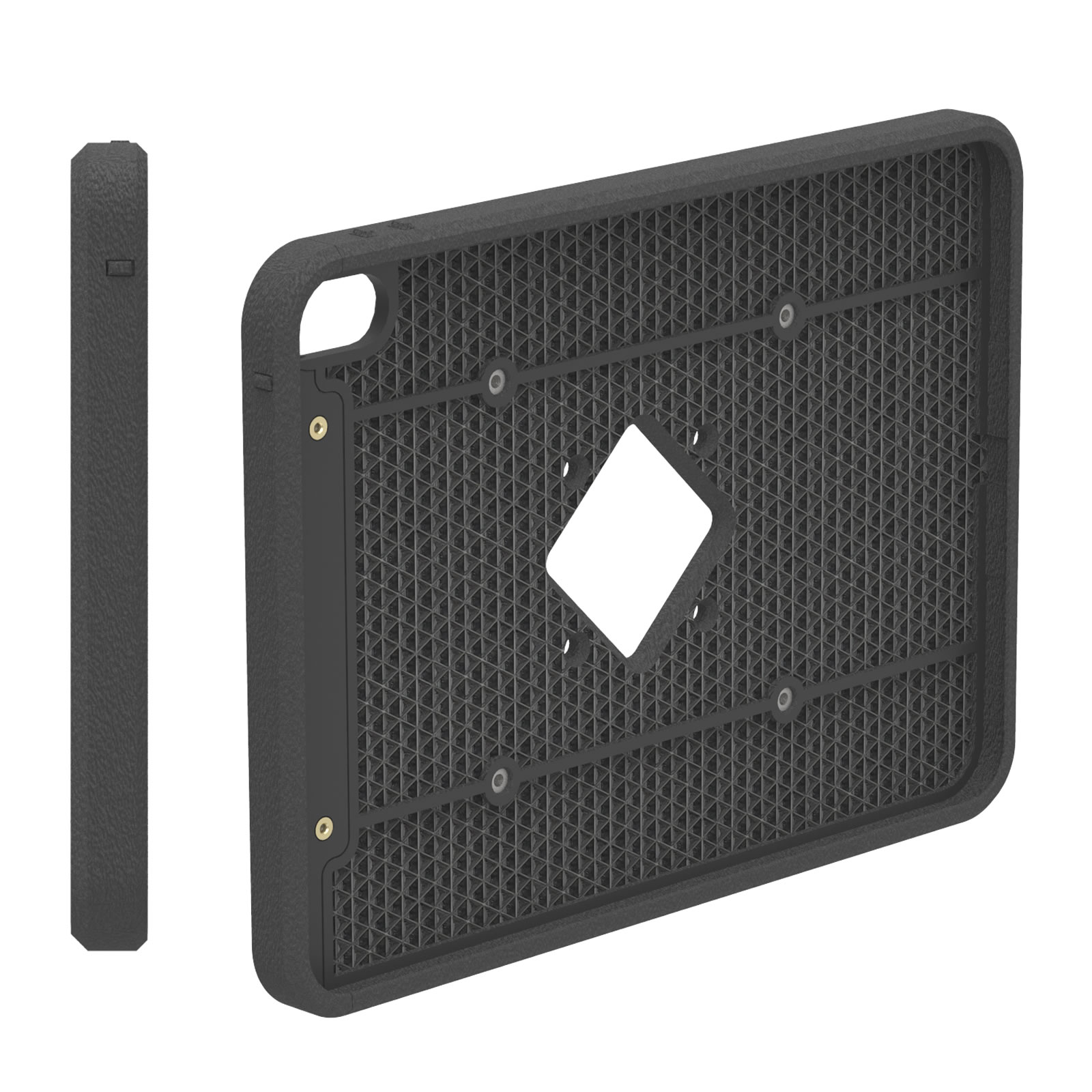
VESALite™, our ultra-thin design with a slim bezel is ideal for setups that want to show off a tablet securely, with no compromises to security. Blends into any setup, with black or white options!
Secure and Theft-Deterrent
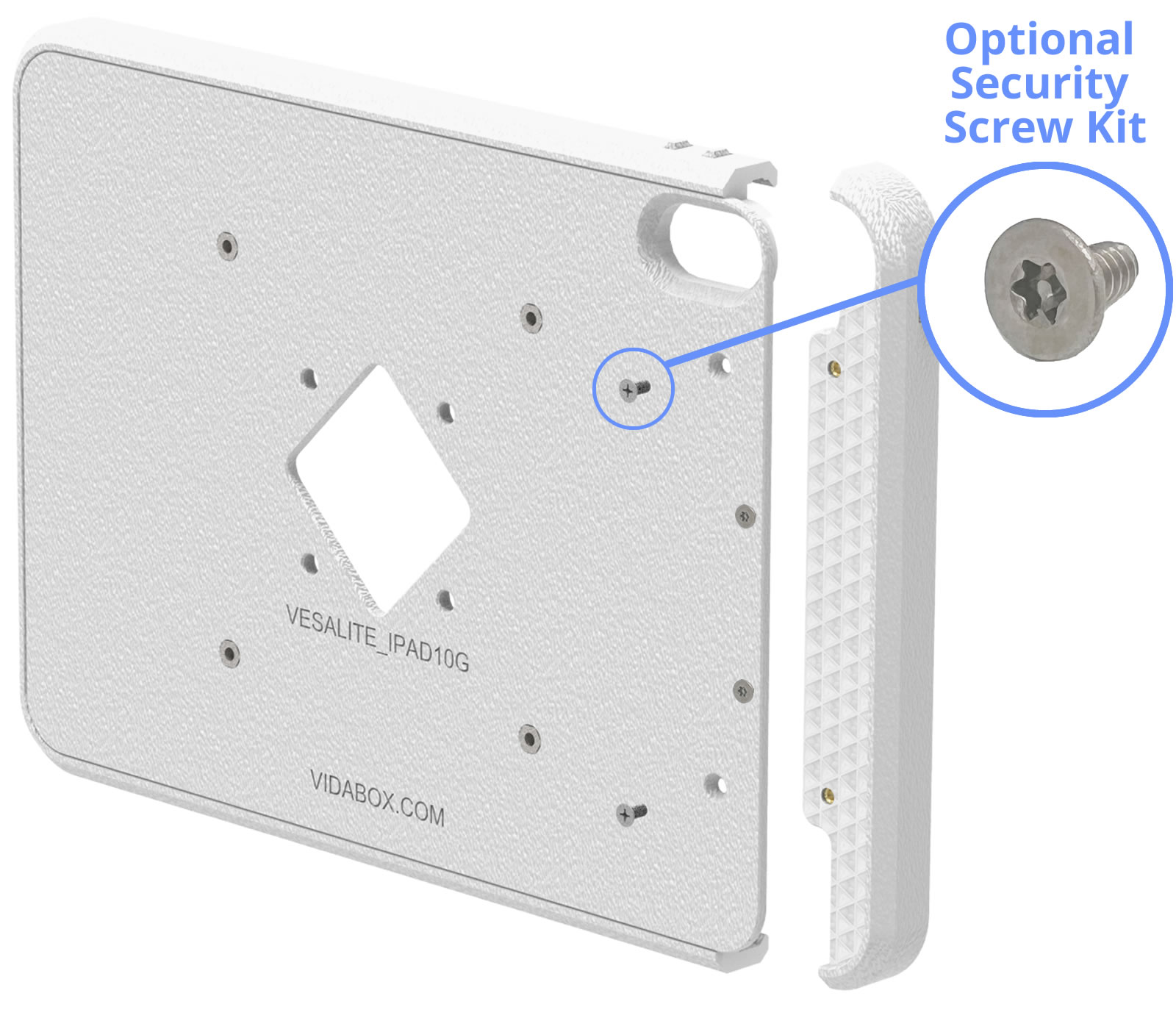
Similar to our Premium VESA Enclosure - once installed, the tablet is NOT REMOVABLE unless someone has the right screw bits or drivers. Installing into a public location? No problem! Consider our Security Screw upgrade - making it impossible to disassemble with a standard Leatherman or pocket screwdriver - perfect for discouraging opportunistic thieves!
Configurable Button Access
Finger Access or Tool-Only Access
Finger Access or Tool-Only Access
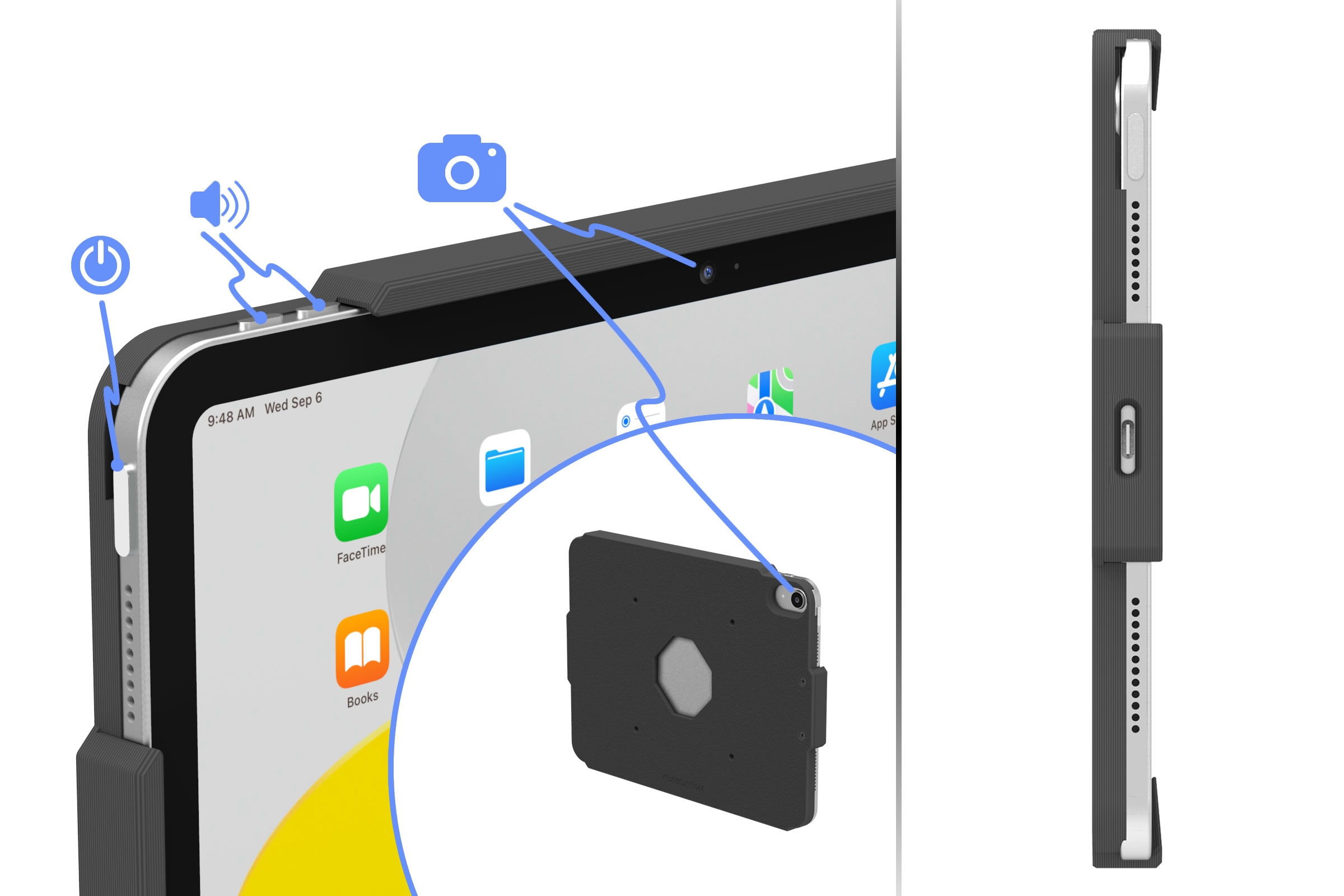
By default, tablet buttons are fully covered for protection while remaining accessible by finger. Need to restrict button access? Simply push through & snap off the configurable button cover before installing the tablet. Once removed, the button can only be reached with a bent paper clip, key, or similar pointed tool. Each button is individually configurable, allowing you to enable or prevent finger access as needed.

Open Camera Access
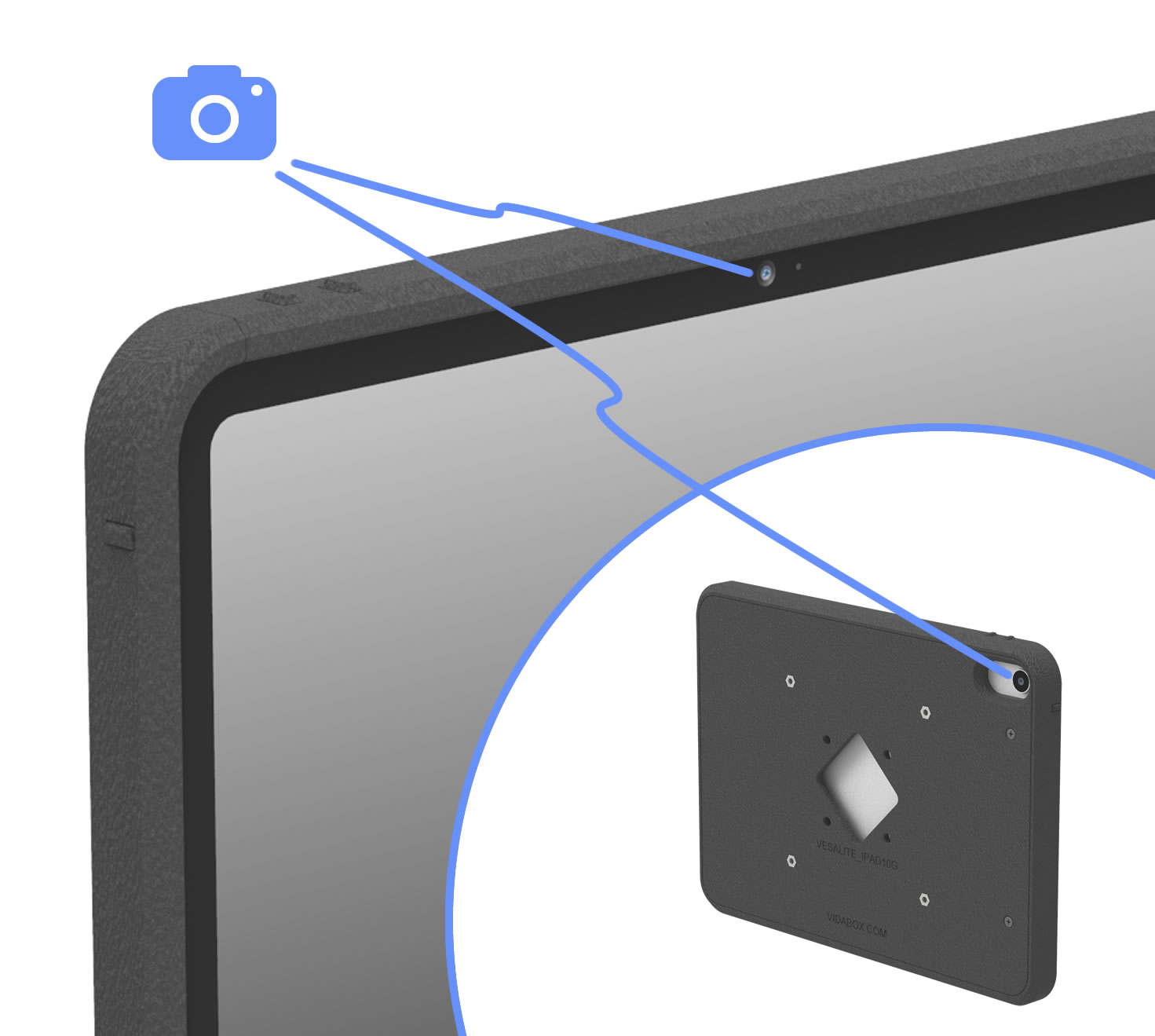
The VESALite™ enclosure has fully enclosed edges while leaving the front & rear cameras open & accessible, striking the perfect balance between tablet security and device functionality. This design keeps your tablet secure & camera-ready while reducing the risk of tampering in public or high-traffic installations.
Integrated Speaker & Mic Holes for Pure Sound
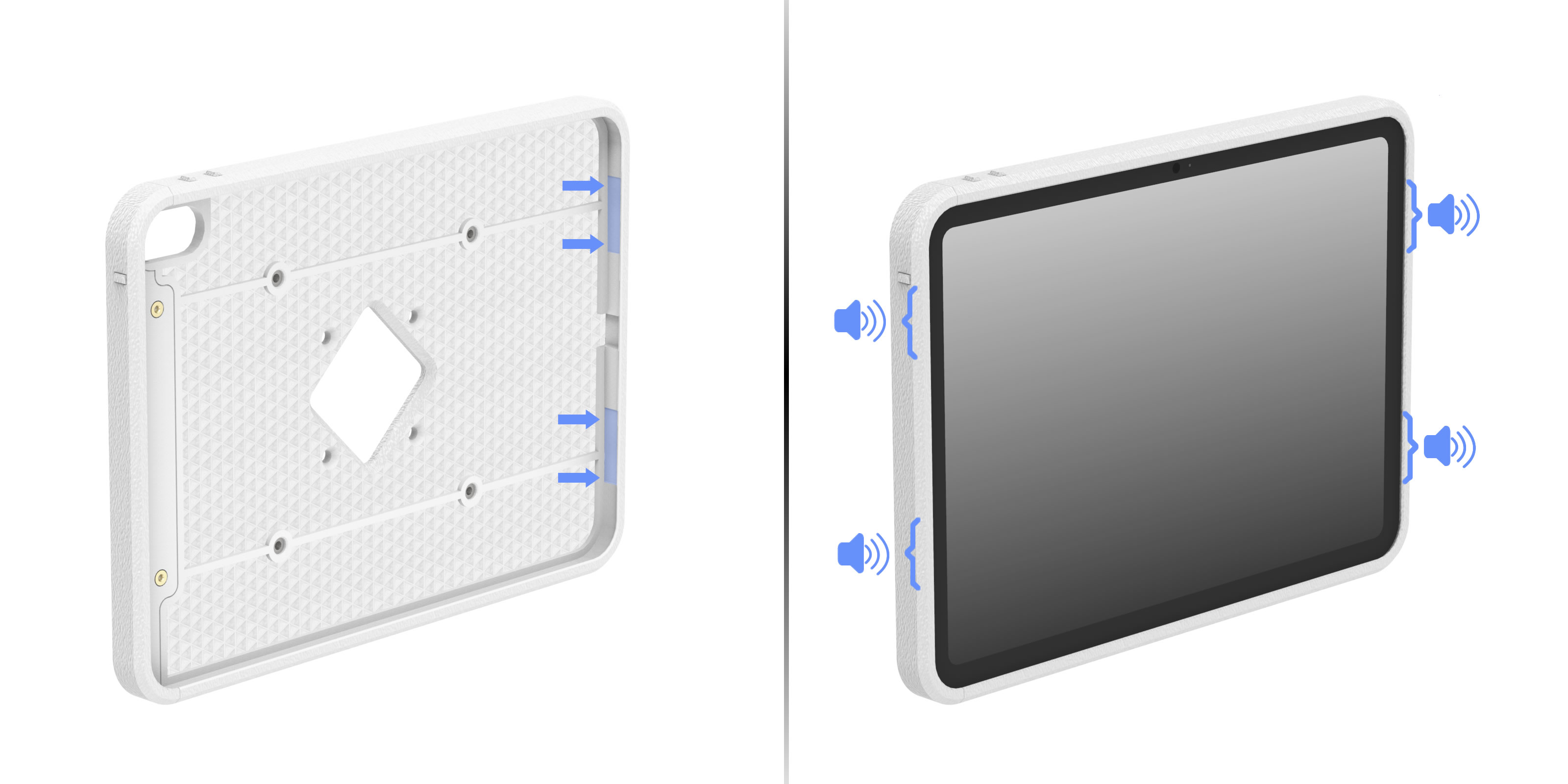
Microphone inputs are fully exposed to ambient, while speaker outputs are hidden yet exposed via patent-pending, audio wave guide slots - allowing perfect sound for teleconference apps - where audio clarity is key!
Beautifully Manufactured
While most 3D printed designs are typically flawed - VidaBox has perfected higher-quality outputs thru painstaking, careful Research & Development. Expect 99.9% perfectly textured back plates & clean, beveled edges - just like what's shown in the pictures!

VESA 100x100 Compatible
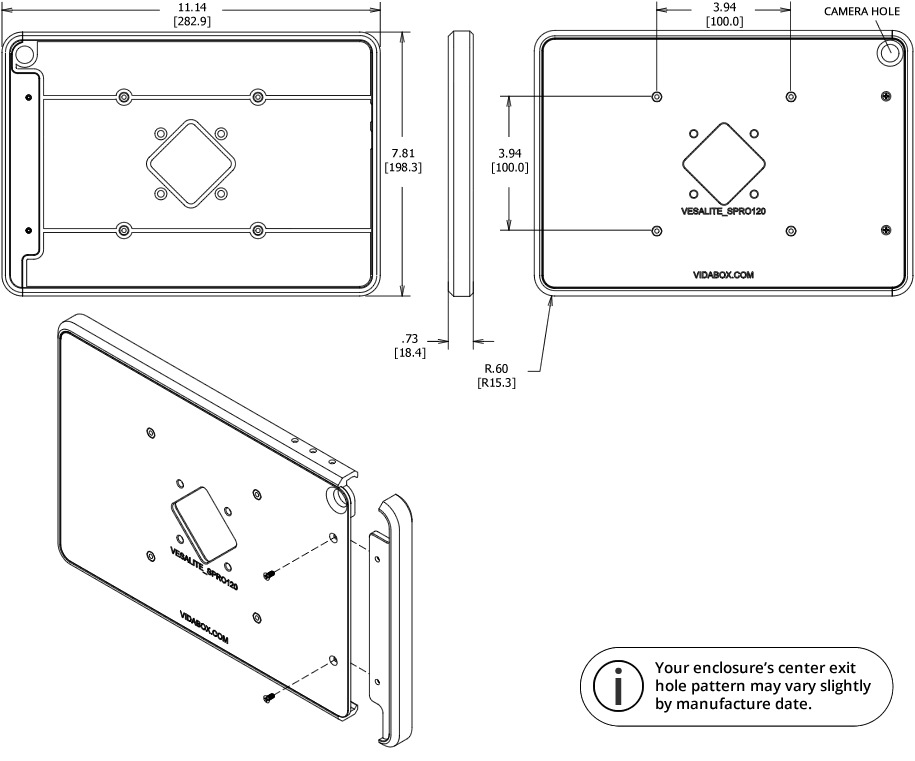
Our VESALite™ enclosure is compatible with any standard VESA 100 pattern! Mounts onto any wall, desk, table top, or surface mount and VESA compatible floor stands!


Includes Hidden USB-C Ribbon Cable
Easily provide power & data to your installed tablet with the included USB-C Ribbon Cable, designed to neatly hide inside of the VESALite™ enclosure. [Requires a USB-C 3.0 or 3.1 spec cable - Not compatible with USB 2.0 / USB 4 cables]
Portrait or Landscape
Sometimes, certain apps such as meeting room scheduling or reservation software are locked to a landscape orientation. Maybe the time card or "check in" app we're using is designed for a portrait view. No worries! Our VidaMount VESALite™ iPad / Tablet Enclosure can be mounted to its VESA bracket in either a portrait or landscape orientation.

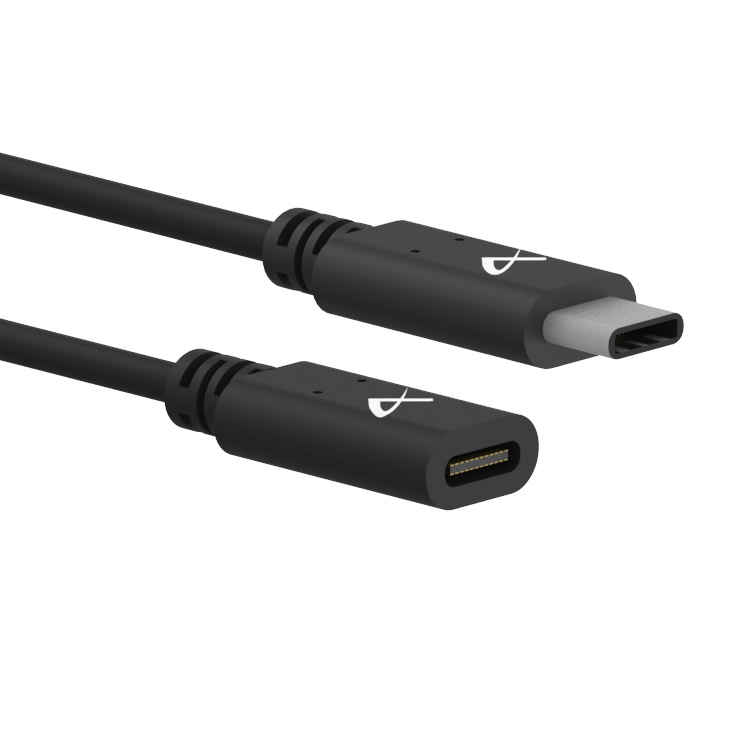
Kits with VidaPower USB-C Cables for Power and Data
Every VESALite™ enclosure includes a standard 12-inch [30cm] extension cable to allow easy connectivity to a nearby DataCharger®, VidaCharger®, or other power source.
But what if the port is further away? No problem! We offer optional extension cables of up to 9 feet [2.7m] total length to support almost any install!
But what if the port is further away? No problem! We offer optional extension cables of up to 9 feet [2.7m] total length to support almost any install!
Keep the Tablet Charged!
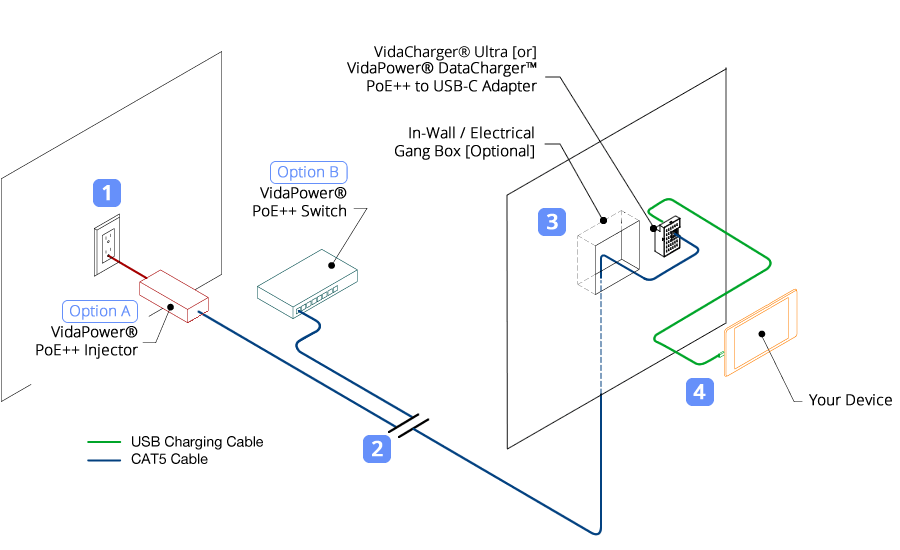
With our PoE charging solution (components sold separately), you can keep your tablet your plugged in and charging 24/7!
Locate a wall outlet [1] up to 330' (100m) away. Plug in our VidaPower® PoE++ Injector [Option A] or our VidaPower® PoE++ Switch [Option B] to the outlet, and [2] connect a standard CAT/Ethernet cable to the appropriate port.
Next, run the powered PoE/CAT5/5e/6 cable to your tablet location [3] and connect it to the 48V VidaPower® DataCharger™ or 48V VidaCharger™.
Finally, plug your VidaPower® High-Wattage USB-C Charging Cables to the USB-C port of the Adapter, connect your charging cable to your device [4] - and voila - we've connected wired power / data ! You're good!
Locate a wall outlet [1] up to 330' (100m) away. Plug in our VidaPower® PoE++ Injector [Option A] or our VidaPower® PoE++ Switch [Option B] to the outlet, and [2] connect a standard CAT/Ethernet cable to the appropriate port.
Next, run the powered PoE/CAT5/5e/6 cable to your tablet location [3] and connect it to the 48V VidaPower® DataCharger™ or 48V VidaCharger™.
Finally, plug your VidaPower® High-Wattage USB-C Charging Cables to the USB-C port of the Adapter, connect your charging cable to your device [4] - and voila - we've connected wired power / data ! You're good!
Customize It!
Do you need a design with all buttons (power & volume) fully exposed? Consider our OpenVESA™ enclosure as an alternative! Or, do you need a design that exposes the USB power port for a specialty setup? Contact us for a custom quote! [Minimum quantities apply] Contact Us for details!)

Manufactured in the USA
We design, engineer, and manufacture the right here in Long Island, New York. We know your tablet setup / project incorporates hundreds or even thousands of dollars in time, software and hardware - so we thought it would be best to build the best protection for your display...right here in the USA!
Dimensions Enclosure
Microsoft Surface Pro 12 inch
Materials
VESALite™ Enclosure: PETG-GF/PLA-based
What's in the box
VidaMount VESALite™ Tablet Enclosure
(2) 18-8 Stainless Steel Phillips Flat Head Screws
(1) VidaPower® High-Wattage, USB-C Ribbon Cable - 12-in (300mm)
Installation instructions [Download]
Requirements
VESA 100 Bracket, for mounting
CAD Model
3D STEP file [Download]


