





VESA Floor Stand
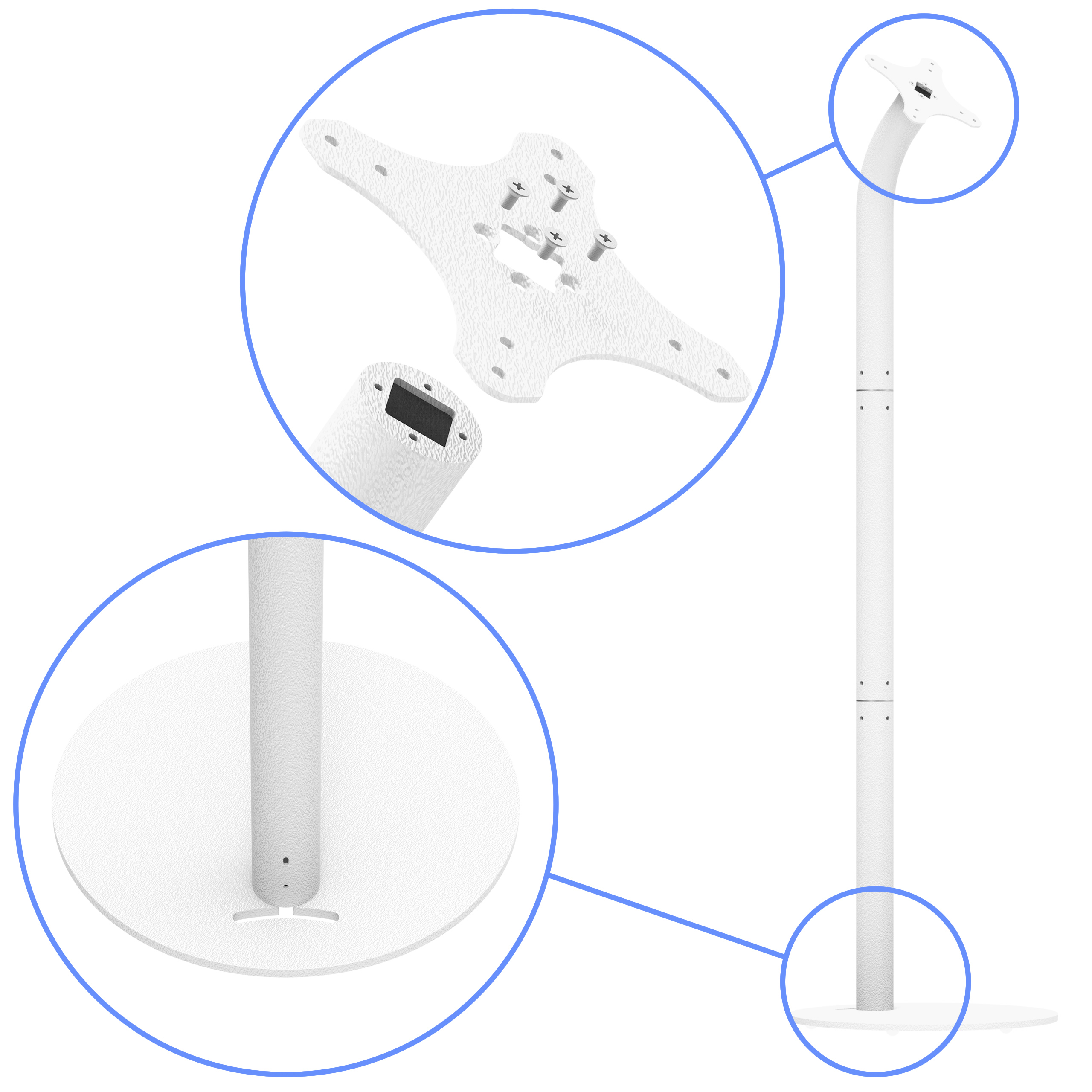
Simple assembly and disassembly using only one tool (supplied) means our floor stand be assembled quickly. Its sturdy tubular steel construction can take the punishment of the trade show floor or retail traffic while keeping the charging cable securely hidden and out of sight.
Learn more...
Learn more...

iPad / Android Tablet Lite Enclosure
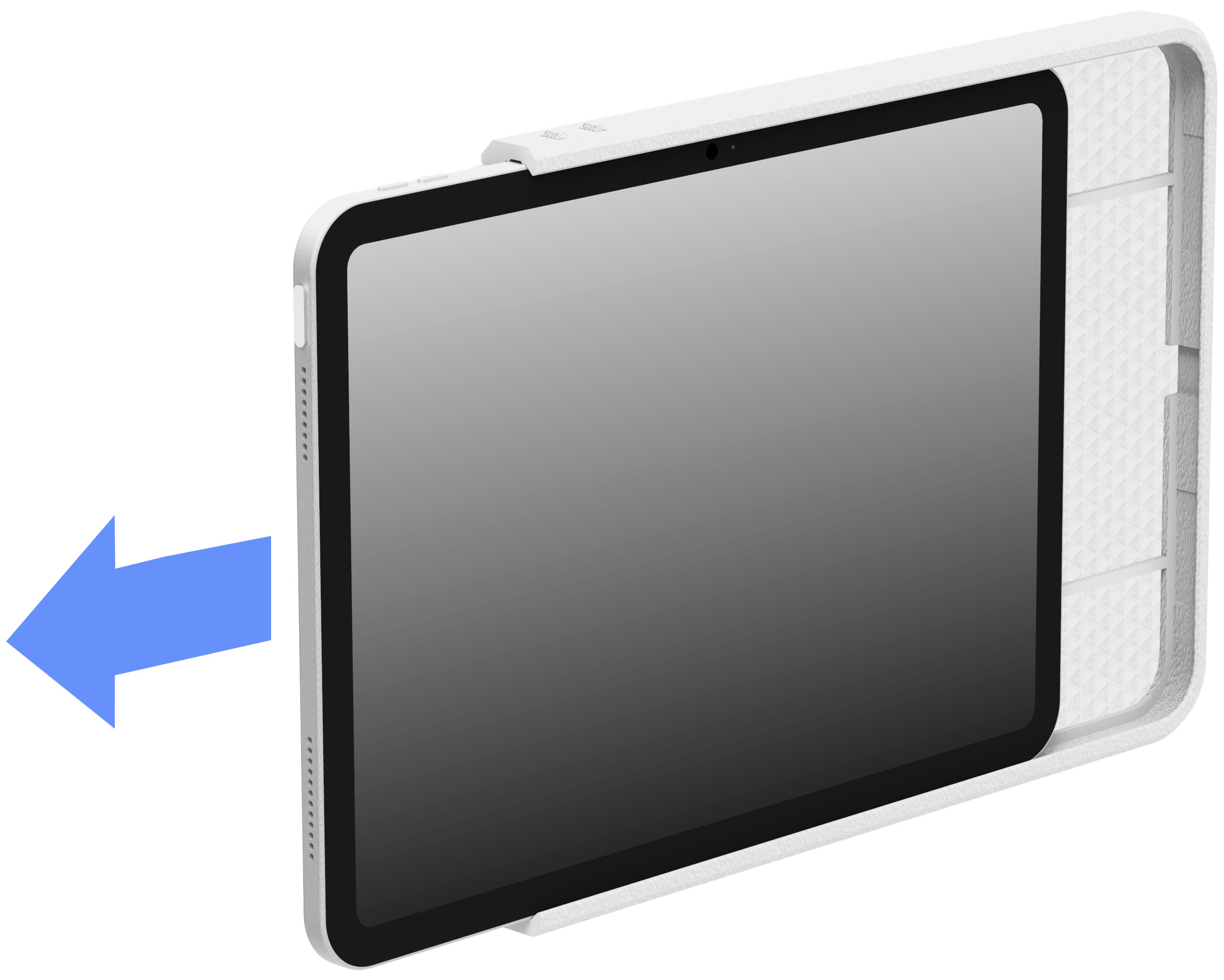
Our VidaMount VESALite™ Tablet Enclosures are engineered like no other enclosure on the market today. With pushable button access for ease of use, mic & speaker channels for optimal sound performance, secured within an ultra-slim bezel - this cutting edge, 3D printed enclosure wraps your iPad, Android, or Windows tablet strikes the perfect balance between minimalism with theft prevention.
Learn more...
US Patent Pending
Learn more...
US Patent Pending

An Effective Combination
The VidaMount Floor Standing iPad / Android Tablet Display is an elegant tablet kiosk that is perfect for trade show exhibitions, retail display environments, and public events. It's sturdy, free-standing design means you can easily create a tablet kiosk without the need for extra furniture. Its solid base will keep the stand where you place it and withstand the high traffic abuse of typical kiosk environments.
Theft Prevention
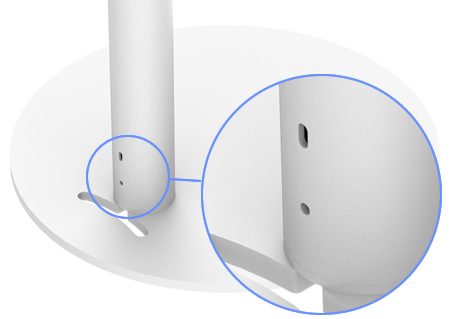
Our floor stand includes a Kensington Security Slot that is compatible with any Kensington laptop security lock and cable system.
Secure to the Floor
Having doubts about using a freestanding floor stand? No problem, just secure the floor stand into the floor. Use the bolting pattern towards the back side of the base piece along with a screw or bolt made for the type of floor material in the area (not included). After successfully anchoring the floor stand to the floor, you won't have to worry about it falling, tipping or magically disappearing.
Wire Management
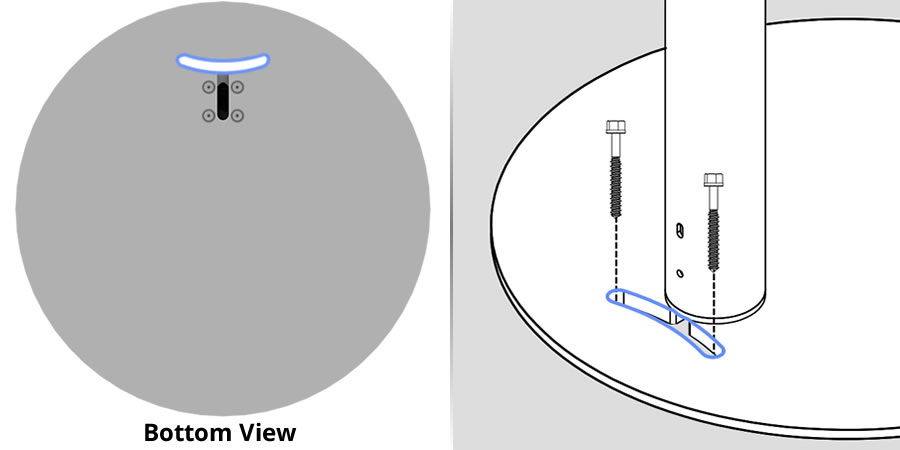
Charging cable can be passed through the mounting plate's center hole, which is sized to allow for most USB connectors to pass with ease, and into the stands hollow tube. Once in the tube, the cable can be passed through the bottom. A cutout is provided for easy routing of cable to a floor receptacle or other location. Everything is kept nice, neat, and out of sight!
Beautifully Manufactured
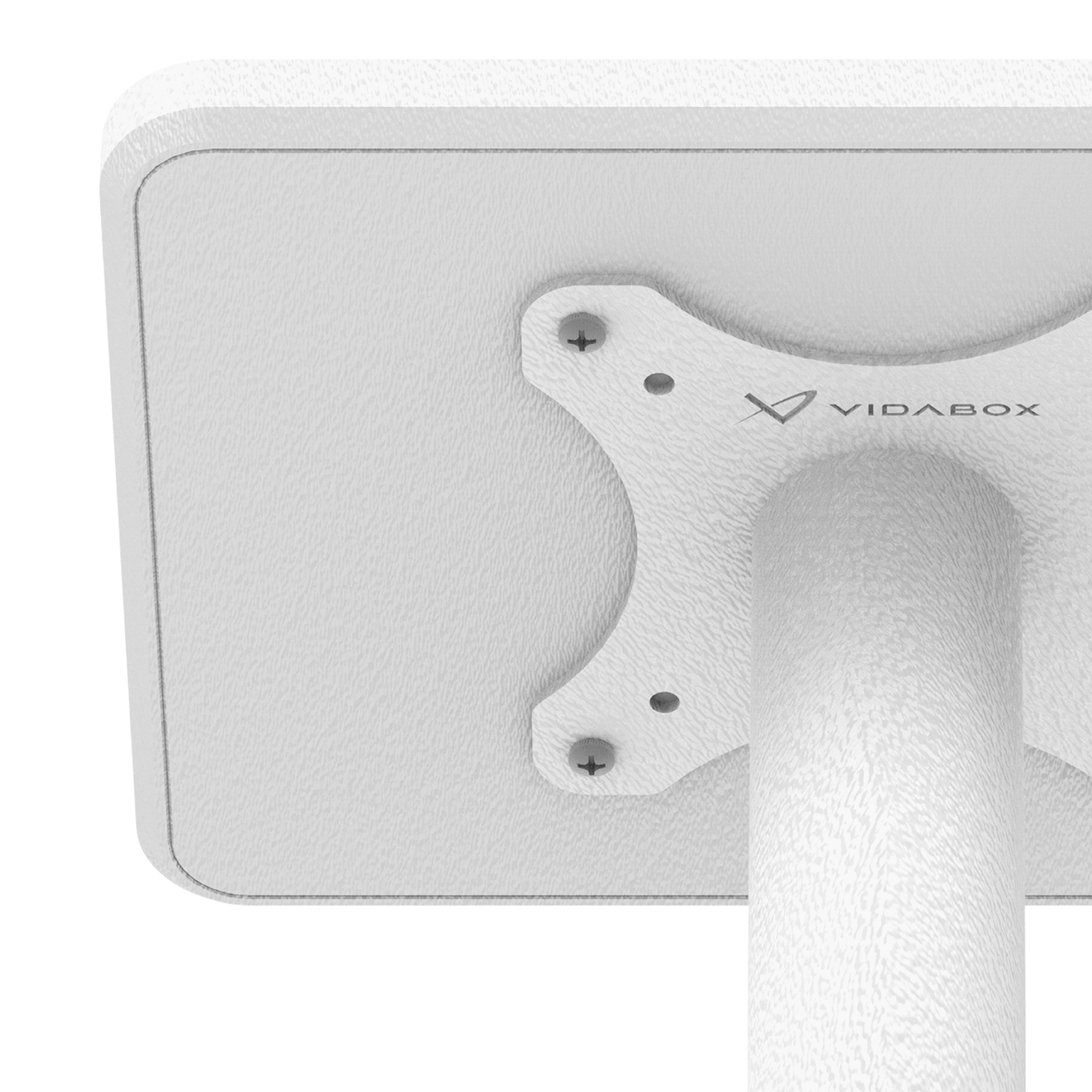
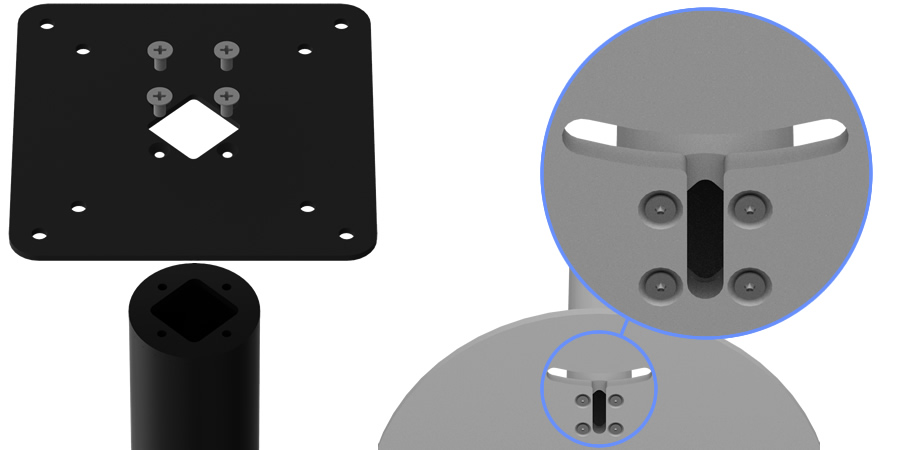
While most 3D printed designs are typically flawed - VidaBox has perfected higher-quality outputs thru painstaking, careful Research & Development. Expect 99.9% perfectly textured back plates & clean, beveled edges - just like what's shown in the pictures!

Minimalist Design
with Covered Edges
with Covered Edges
VESALite™, our ultra-thin design with a slim bezel is ideal for setups that want to show off a tablet securely, with no compromises to security. Blends into any setup, with black or white options!

Includes Hidden USB-C Ribbon Cable
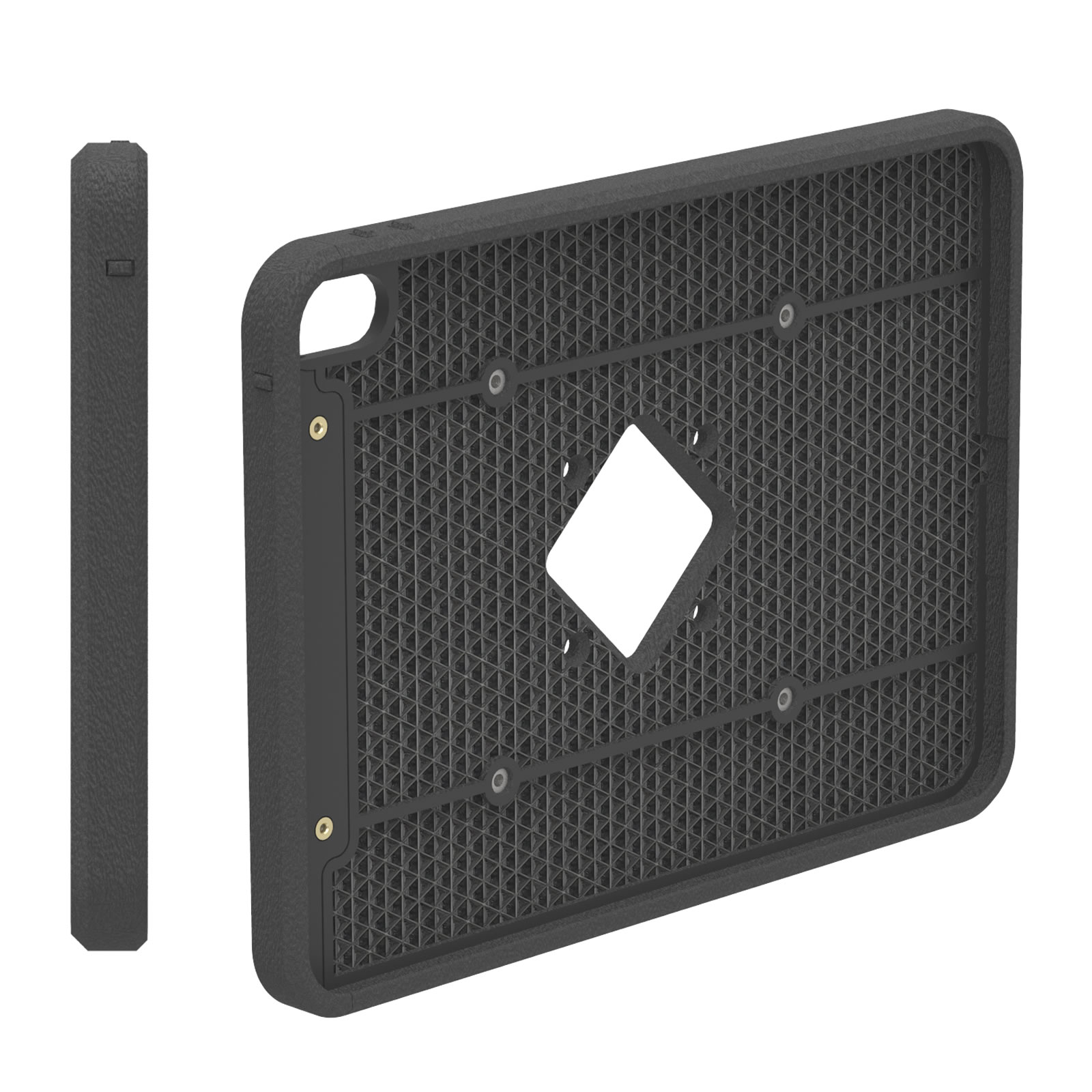
Easily provide power & data to your installed tablet with the included USB-C Ribbon Cable, designed to neatly hide inside of the VESALite™ enclosure. [Requires a USB-C 3.0 or 3.1 spec cable - Not compatible with USB 2.0 / USB 4 cables]
Configurable Button Access
Finger Access or Tool-Only Access
Finger Access or Tool-Only Access
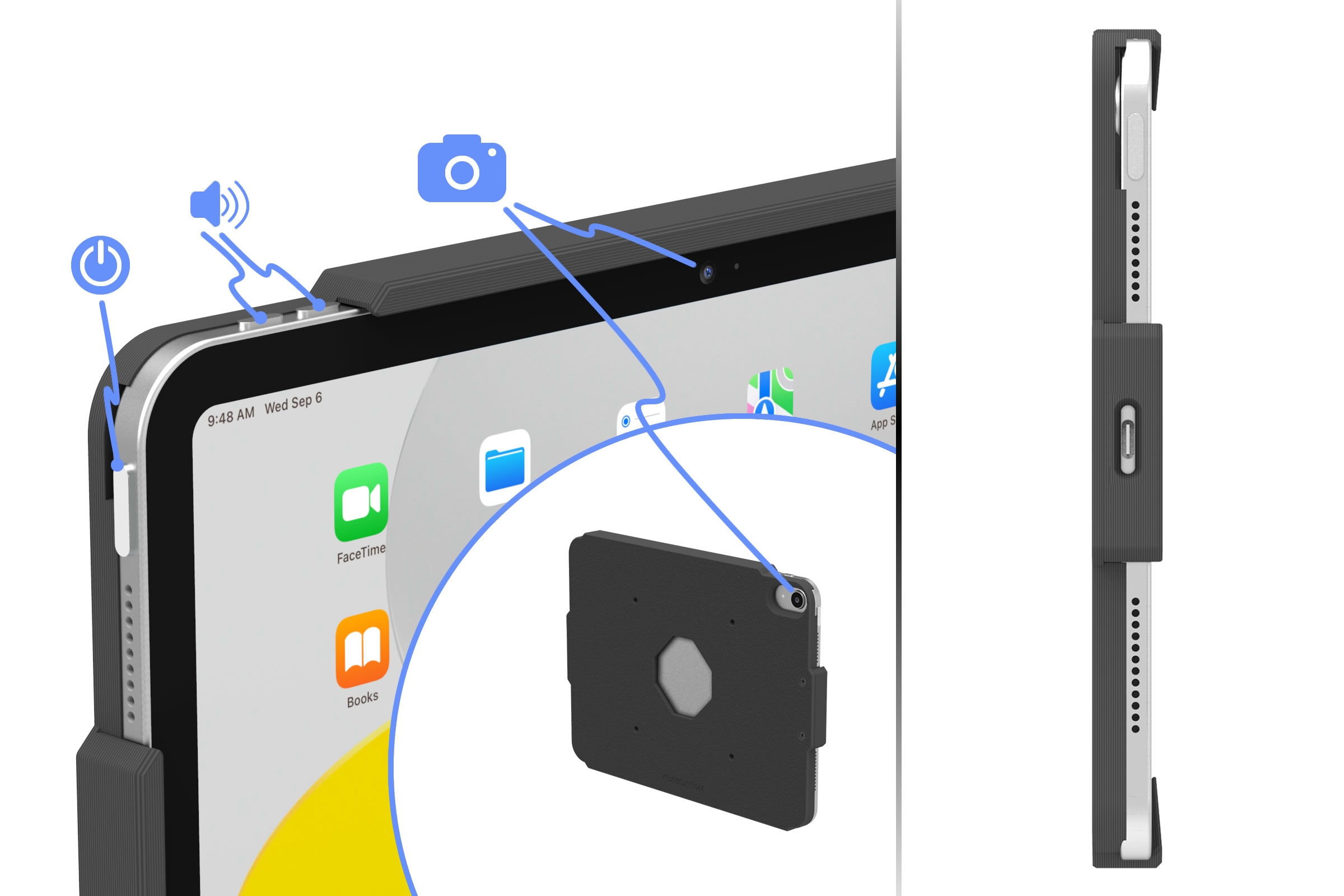
By default, tablet buttons are fully covered for protection while remaining accessible by finger. Need to restrict button access? Simply push through & snap off the configurable button cover before installing the tablet. Once removed, the button can only be reached with a bent paper clip, key, or similar pointed tool. Each button is individually configurable, allowing you to enable or prevent finger access as needed.

Integrated Speaker & Mic Holes for Pure Sound
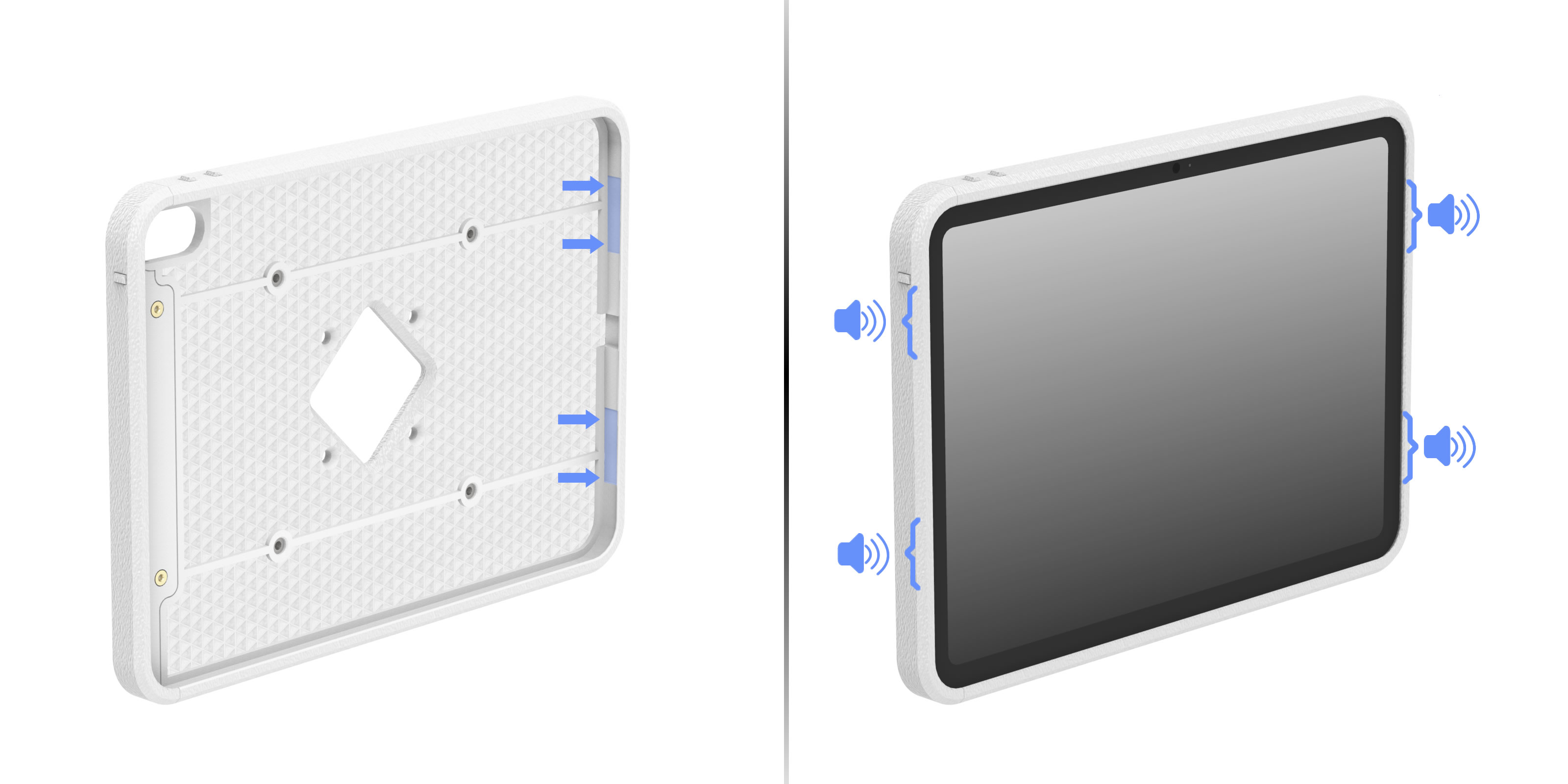
Microphone inputs are fully exposed to ambient, while speaker outputs are hidden yet exposed via patent-pending, audio wave guide slots - allowing perfect sound for teleconference apps - where audio clarity is key!
Open Camera Access
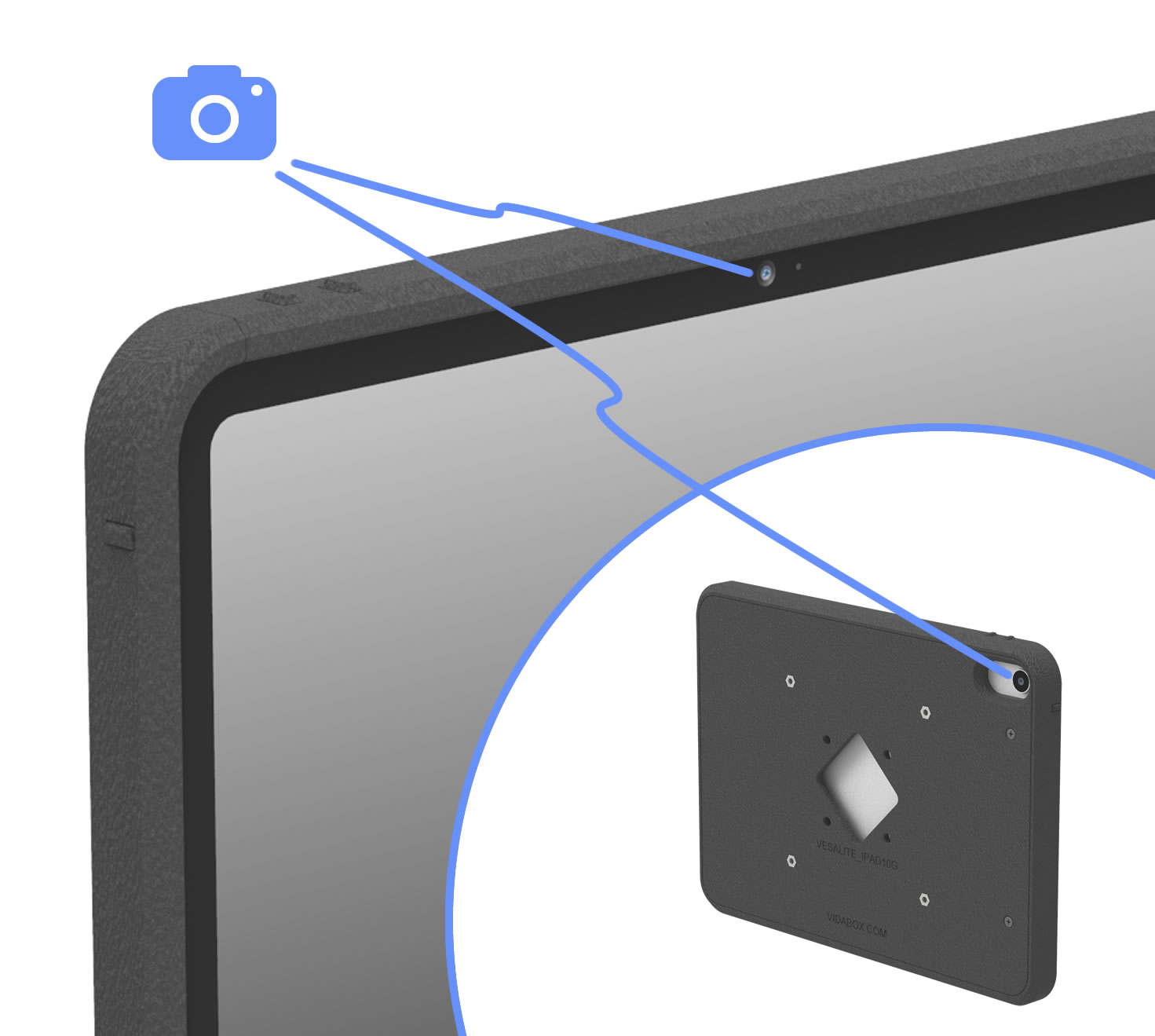
The VESALite™ enclosure has fully enclosed edges while leaving the front & rear cameras open & accessible, striking the perfect balance between tablet security and device functionality. This design keeps your tablet secure & camera-ready while reducing the risk of tampering in public or high-traffic installations.

ADA Compliant Design
This VidaMount design meets ADA compliance:
For wall-mounting:
· Maximum protrusion from wall of 4" or less
· Height between 27" to 80" high
For free-standing, forward reaching setups:
· Unobstructed touch access between 15" to 48" high
· Obstructed (>20") touch access between 15" to 44" high
For free-standing, side reaching touchpanels:
· Unobstructed touch access between 34" to 48" high
· Obstructed (<24"/>10") touch access between 34" to 46" high
For wall-mounting:
· Maximum protrusion from wall of 4" or less
· Height between 27" to 80" high
For free-standing, forward reaching setups:
· Unobstructed touch access between 15" to 48" high
· Obstructed (>20") touch access between 15" to 44" high
For free-standing, side reaching touchpanels:
· Unobstructed touch access between 34" to 48" high
· Obstructed (<24"/>10") touch access between 34" to 46" high
Portrait or Landscape
Sometimes, certain apps such as meeting room scheduling or reservation software are locked to a landscape orientation. Maybe the time card or "check in" app we're using is designed for a portrait view. No worries! Our VidaMount VESALite™ iPad / Tablet Enclosure can be mounted to its VESA bracket in either a portrait or landscape orientation.

Keep the Tablet Charged!
With our PoE charging solution (components sold separately), you can keep your tablet your plugged in and charging 24/7!
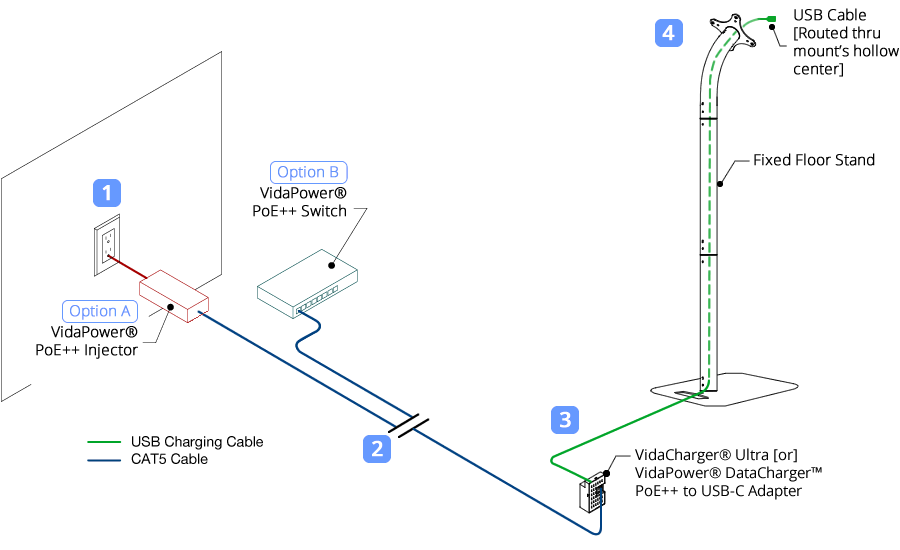
Locate a wall outlet [1] up to 330' (100m) away. Plug in our VidaPower® PoE++ Injector [Option A] or our VidaPower® PoE++ Switch [Option B] to the outlet, and [2] connect a standard CAT/Ethernet cable to the appropriate port.
Next, run the powered PoE/CAT5/5e/6 cable to your tablet location [3] and connect it to the 48V VidaPower® DataCharger™ or 48V VidaCharger™.
Finally, plug your VidaPower® High-Wattage USB-C Charging Cables to the USB-C port of the Adapter, connect your charging cable to your device [4] - and voila - we've connected wired power / data ! You're good!
Locate a wall outlet [1] up to 330' (100m) away. Plug in our VidaPower® PoE++ Injector [Option A] or our VidaPower® PoE++ Switch [Option B] to the outlet, and [2] connect a standard CAT/Ethernet cable to the appropriate port.
Next, run the powered PoE/CAT5/5e/6 cable to your tablet location [3] and connect it to the 48V VidaPower® DataCharger™ or 48V VidaCharger™.
Finally, plug your VidaPower® High-Wattage USB-C Charging Cables to the USB-C port of the Adapter, connect your charging cable to your device [4] - and voila - we've connected wired power / data ! You're good!
Secure and Theft-Deterrent
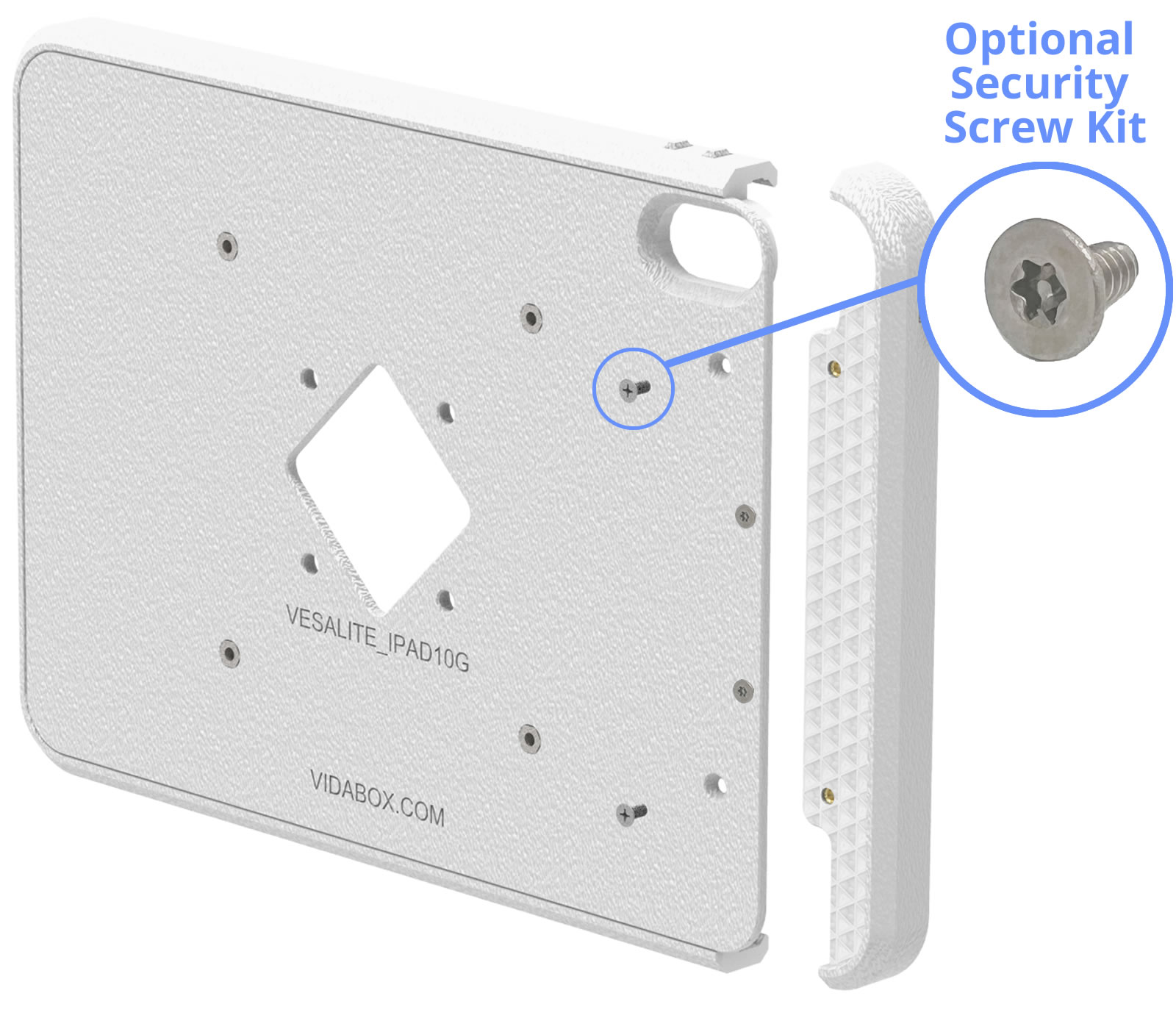
Similar to our Premium VESA Enclosure - once installed, the tablet is NOT REMOVABLE unless someone has the right screw bits or drivers. Installing into a public location? No problem! Consider our Security Screw upgrade - making it impossible to disassemble with a standard Leatherman or pocket screwdriver - perfect for discouraging opportunistic thieves!
Customize It!
Do you need a design with all buttons (power & volume) fully exposed? Consider our OpenVESA™ enclosure as an alternative! Or, do you need a design that exposes the USB power port for a specialty setup? Contact us for a custom quote! [Minimum quantities apply] Contact Us for details!)

Wide Tablet Support
We have developed VESALite™ enclosures for many of the most popular tablet models, including:
For iPads
For Galaxy Tabs
For Microsoft Surface
Don't see your tablet model? Contact us and let us know what you need.
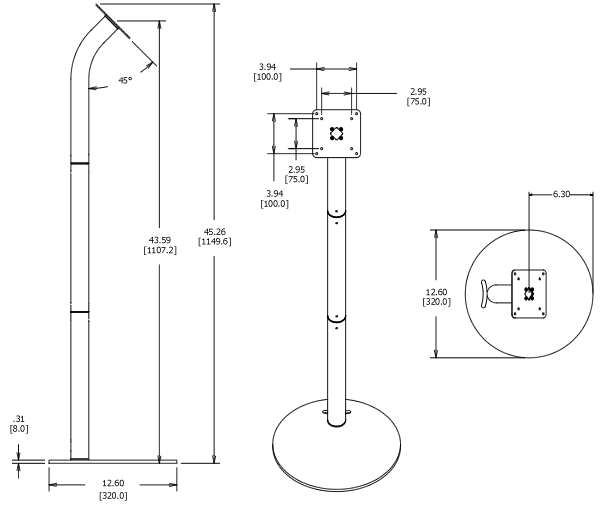
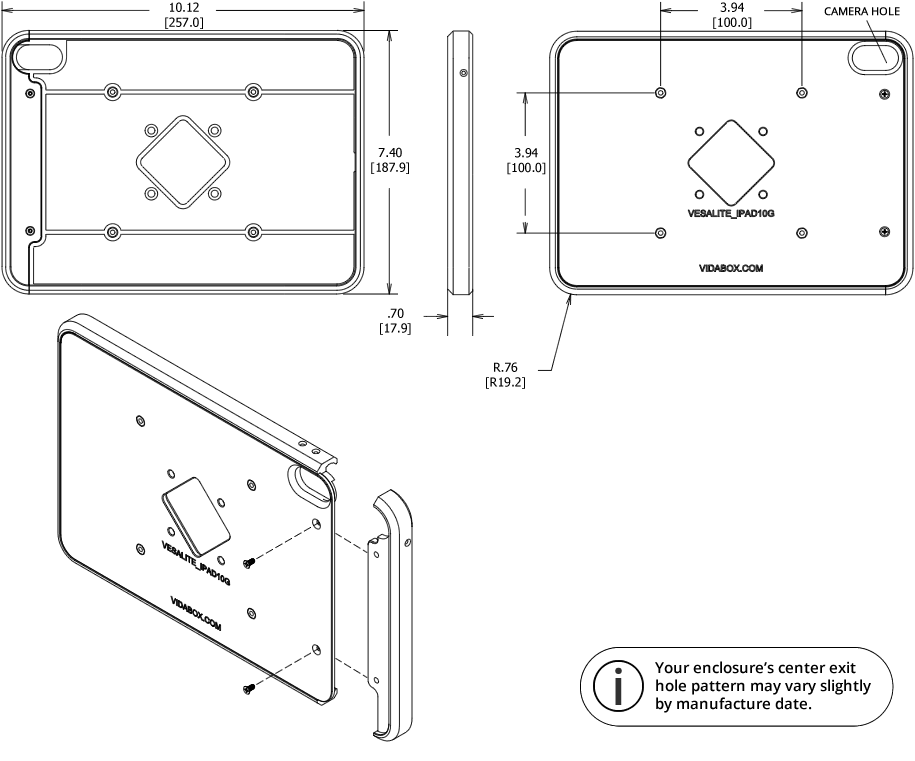
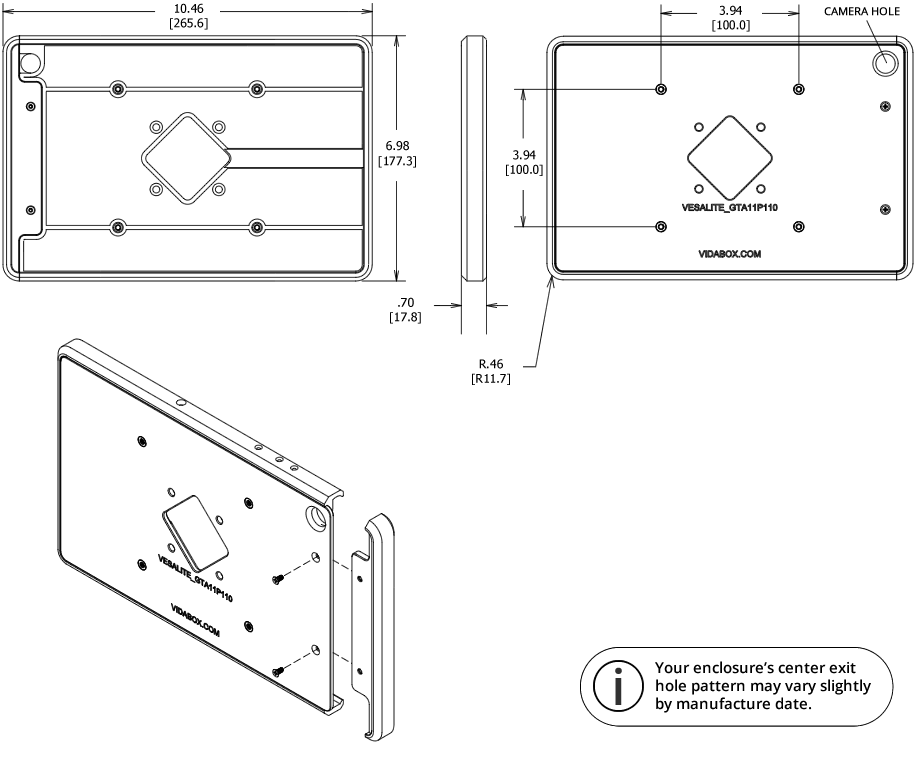
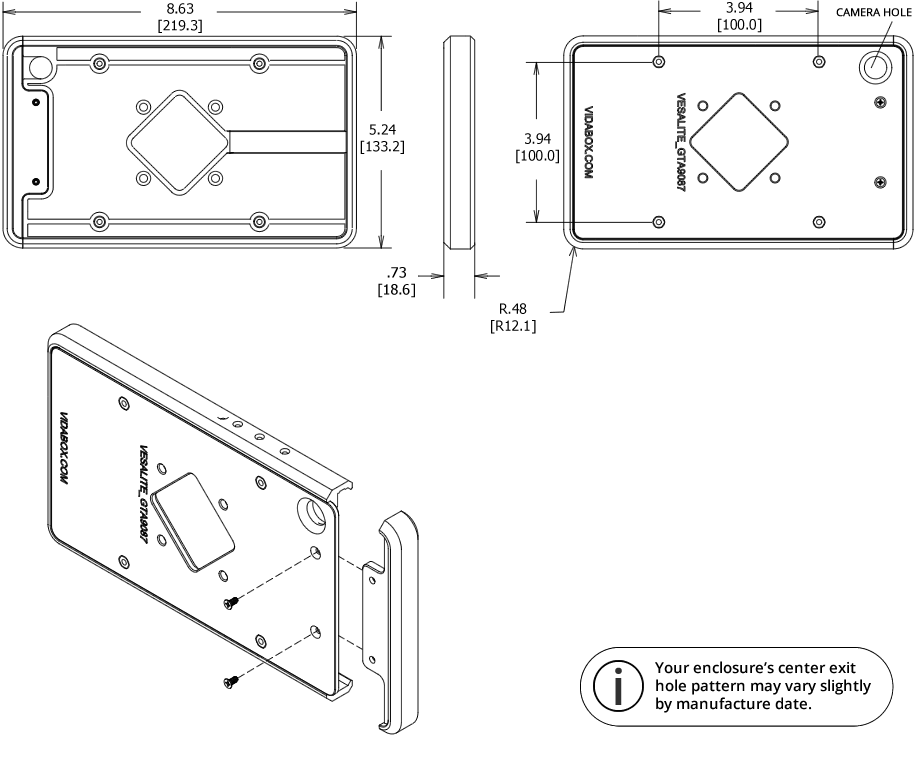
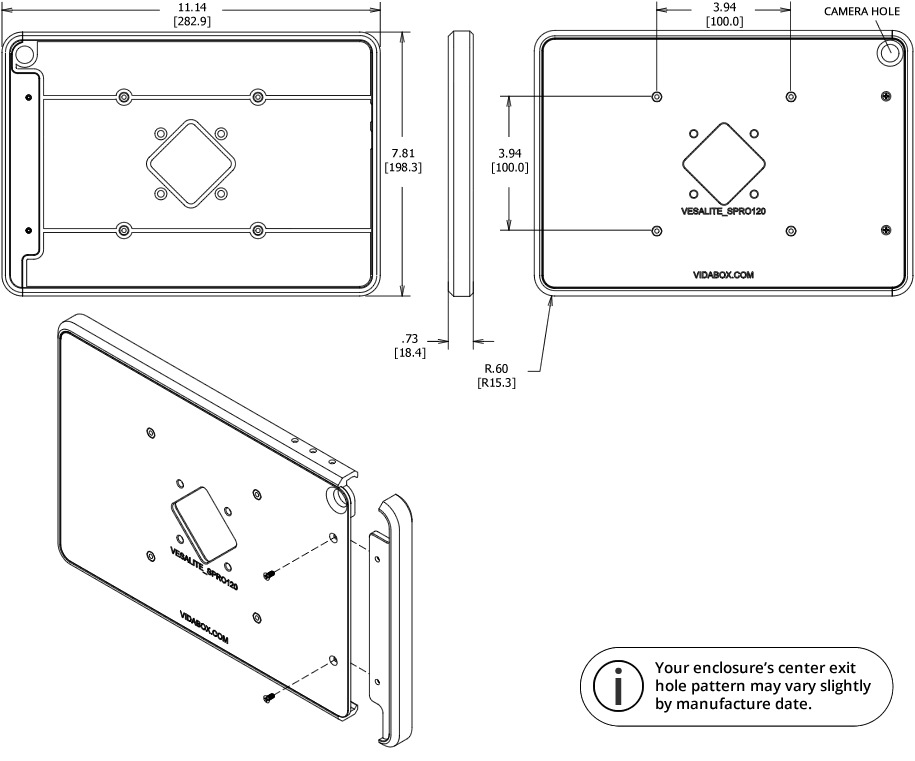
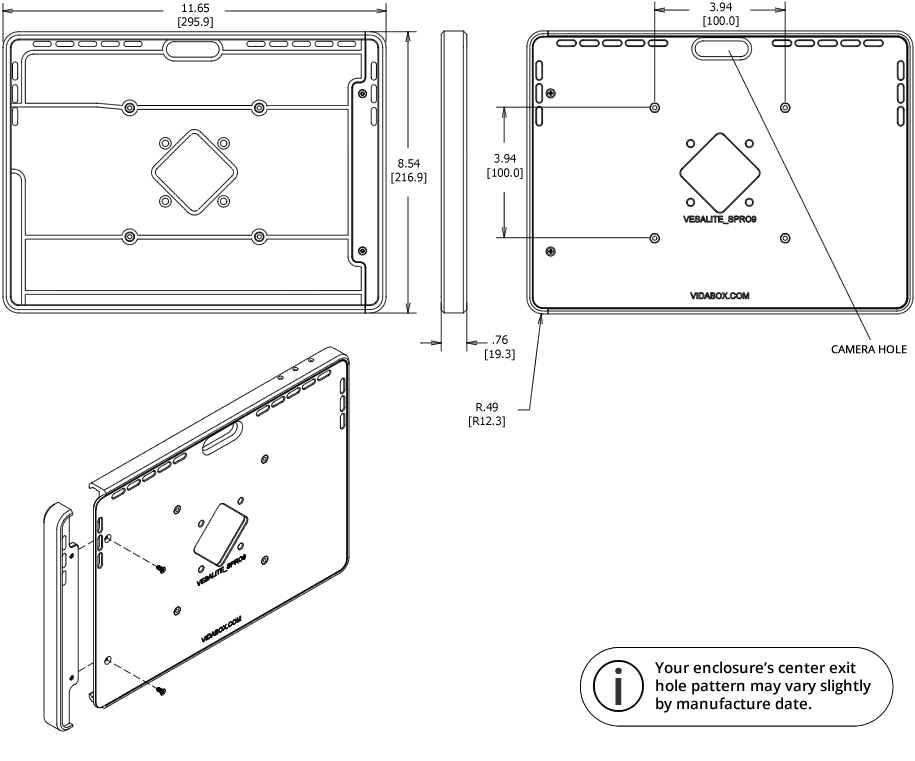
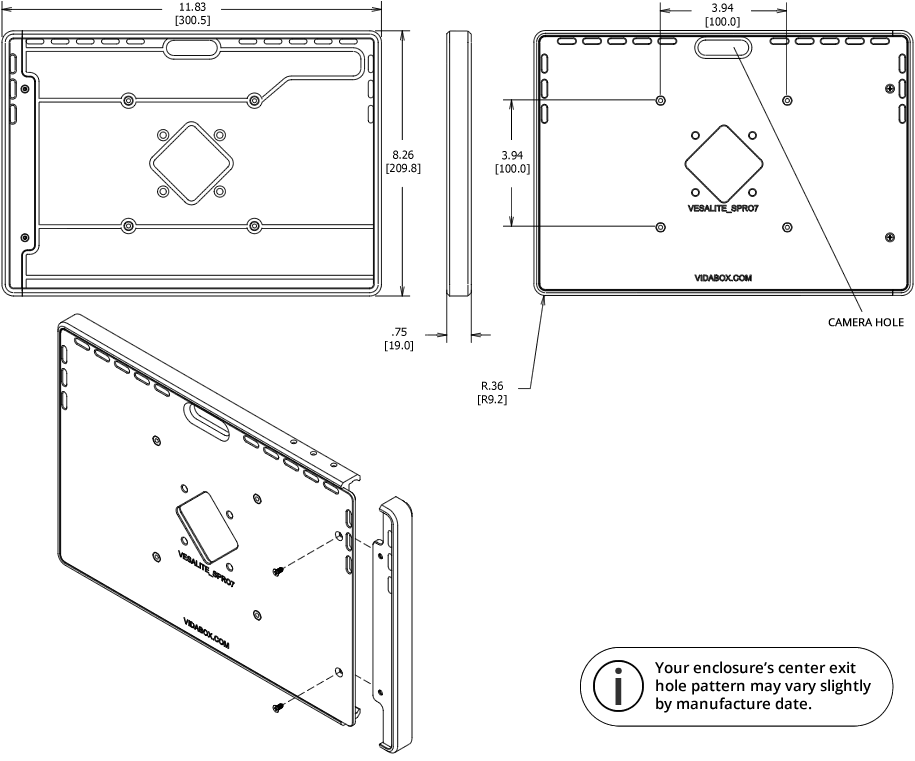
Dimensions Floor Stand
 WARNING: California Prop 65


